Agency tools are the parts of Autron made only for agencies that run Amazon ads for clients. Your company gets them by saying it is an agency. Saying so changes no price and nothing your clients see.
What it turns on
On the Agent and Pro plans, an agency gets:
- Prospects, in the sidebar. Send a brand you want to win a free audit of its Amazon ads, under your brand. See Prospect audits.
- Your domain, in Settings › Branding. Your client reports and prospect audits open on your own web address, and their emails come from your own address. See Your own web and sending address.
On the Free plan, Prospects offers the upgrade instead. See Plans.
Only company admins see them.
Say you're an agency
There are three places. Any one of them is enough.
When you sign up
Sign up from autron.ai/agencies with Start free. The sign-up page reads Start with Autron for your agency, and nothing extra is asked. Your company is noted as an agency once you reach the screen where you connect Amazon.
In Settings › Company
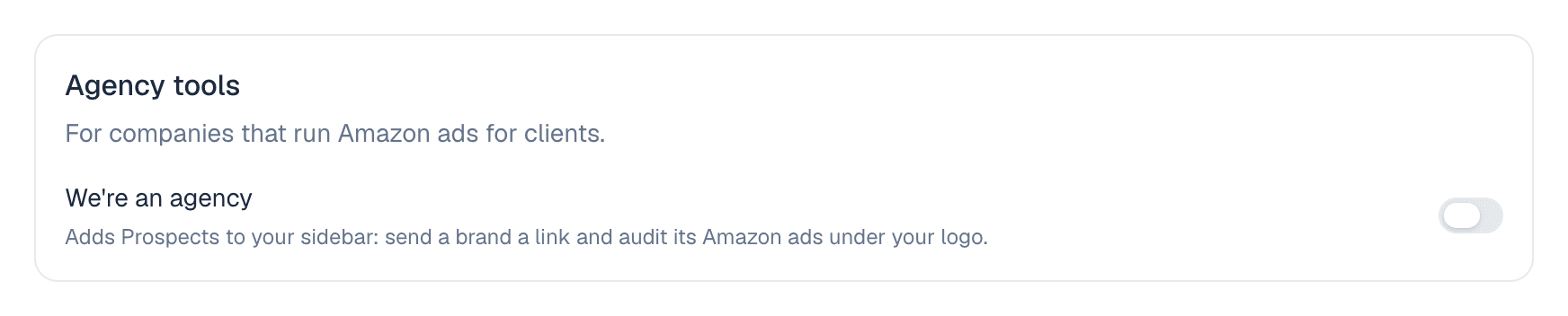
A company admin opens Settings › Company. The Agency tools card has one switch, We're an agency. Switch it on and Prospects appears in the sidebar.
When you connect several brands
When your Amazon login reaches more than one brand, the connect screen asks for your Company name. Under it is a checkbox: We're an agency and these are our clients. Tick it if they are, then press Continue. It is never ticked for you, and it starts as your company last said. See Connect Amazon Advertising.
On an agency plan
A company on an agency plan with Autron is an agency already. There is nothing to say, so Settings › Company shows no switch, and Prospects is in the sidebar.
Take it back
Open Settings › Company and switch off We're an agency. Prospects leaves the sidebar.
- Prospect links you already sent keep working, and their audits still arrive. Switch it on again to see them.
- If you have your own web or sending address, it stays on the Branding page so you can remove it.
Built for agencies, open to everyone
These need no agency switch. Every company has them:
- Branding: your name, logo and colours on client reports, prospect audits and pages.
- Client reports: a routine's report for a client, under your brand, with a page that needs no login. Routines come with the Agent and Pro plans.
- Workspaces on Today: a row for each account you run, with what needs you in each.
- One audit email for several accounts: connect several brands at once and their audits arrive in one email. See The free Amazon PPC audit.
- One routine on several workspaces, with a client for each workspace.
- A link for a client's Seller Central, which the client approves themselves.
- Limit a teammate to some accounts.
When this does not work
- You don't see Agency tools in Settings › Company. Only company admins do. On an agency plan you have nothing to switch on.
- You switched it on and don't see Prospects. Reload the page. If it is still missing, email hello@autron.ai.
- You see the upgrade card on Prospects. Your company is on the Free plan. Prospects and your own address come with Agent and Pro.