A client report is a routine's report, sent to someone outside your company: an agency's client, a brand's owner, an investor. They get the report alone, under your company's name, and a page that opens with no login. Your team keeps getting the digest it always did.
It works on any routine that reports by email. Routines are included with the Agent and Pro plans. See Routines.
Add a client to a routine
Open the routine, find Channels, and add the address to the email recipients.
- An address from outside your company starts as Client.
- An address of a teammate is always Team.
Each outside address has a small menu beside it with the two choices. Choose Team if that person should get the full digest your team reads. Choose Client if they should get the report alone.
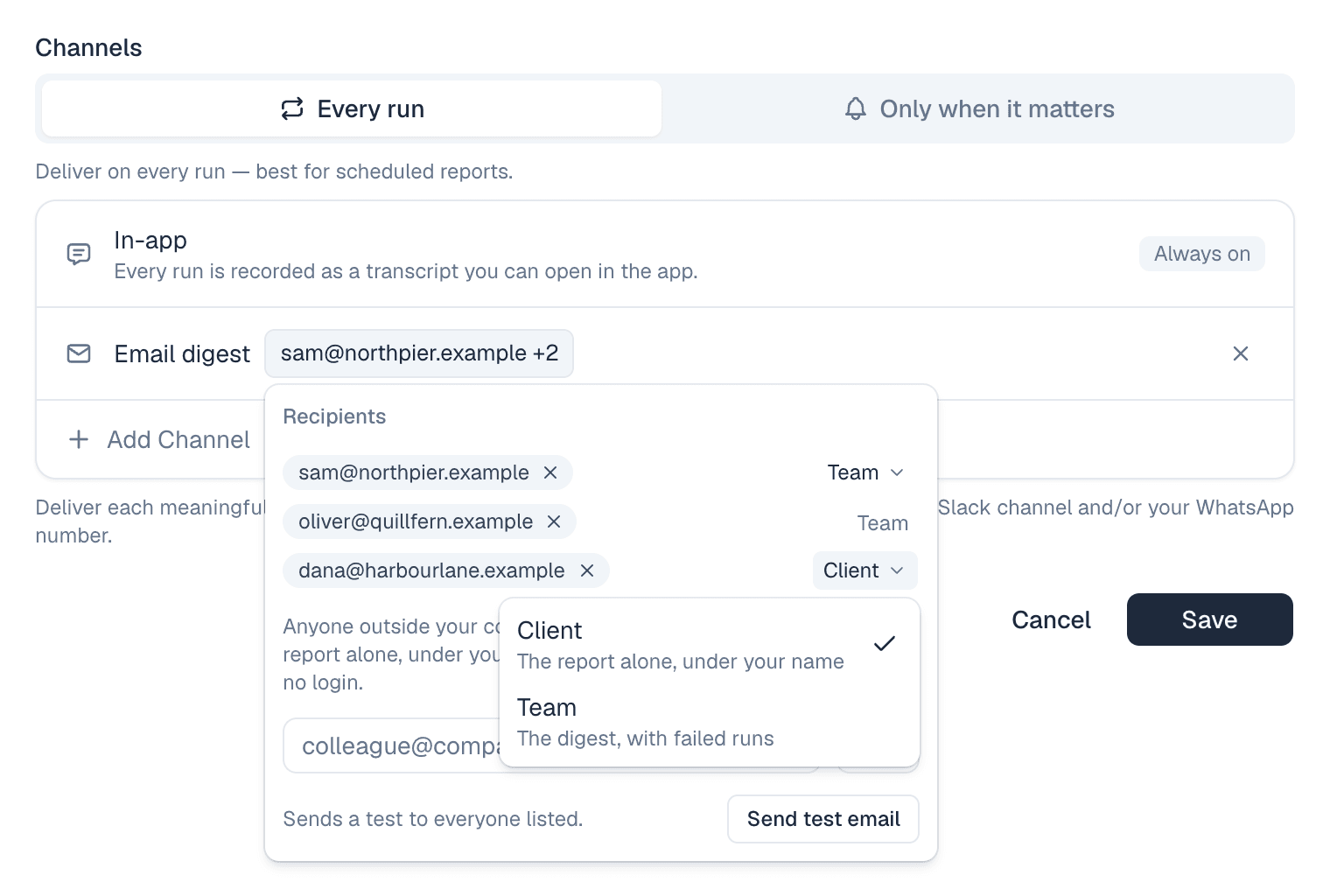
- The email recipients. Click them to open the list and add an address.
- Client or Team, in the menu beside an outside address.
What a client is sent
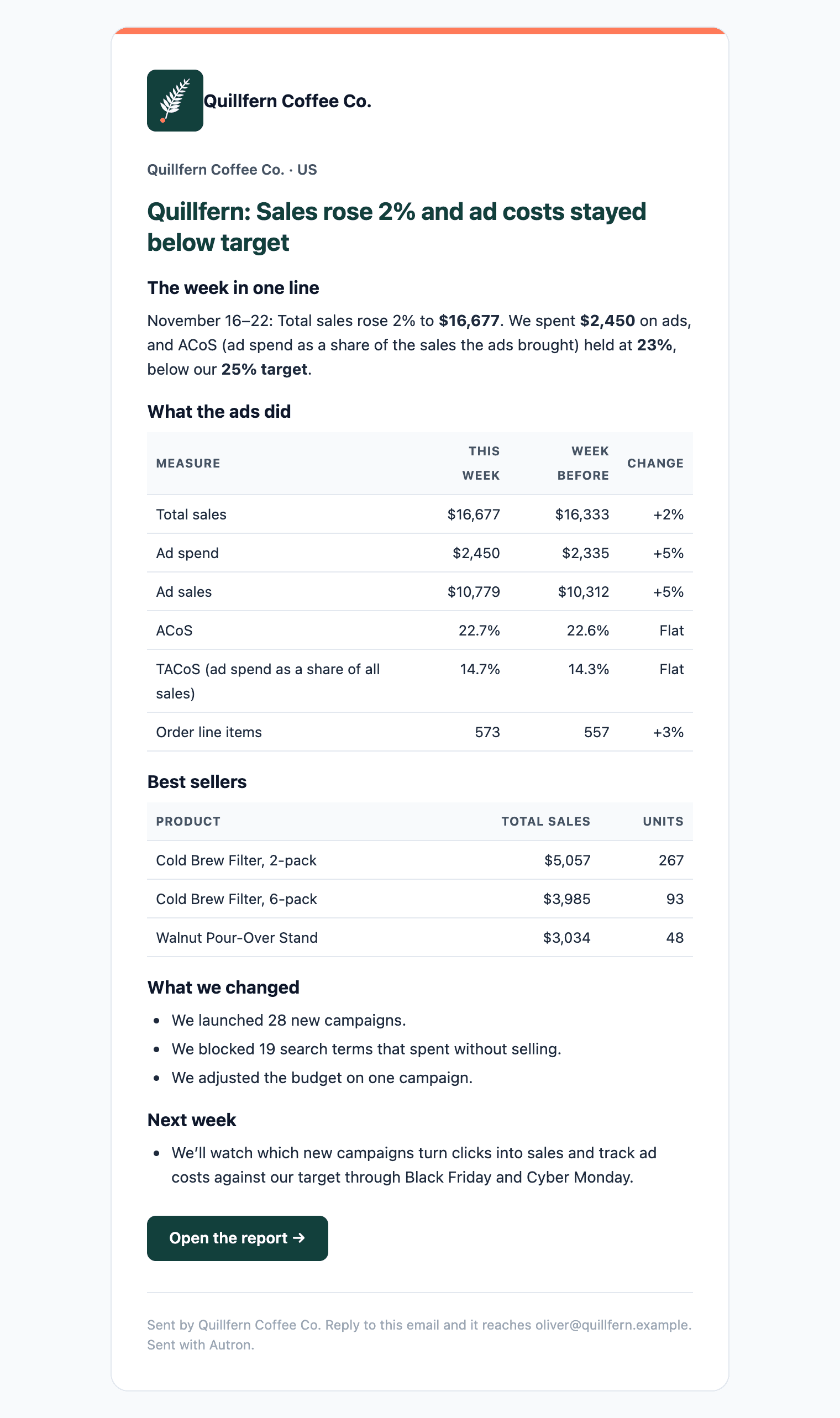
After each run that has a report, a client gets one email:
- The report, in full, with its headline.
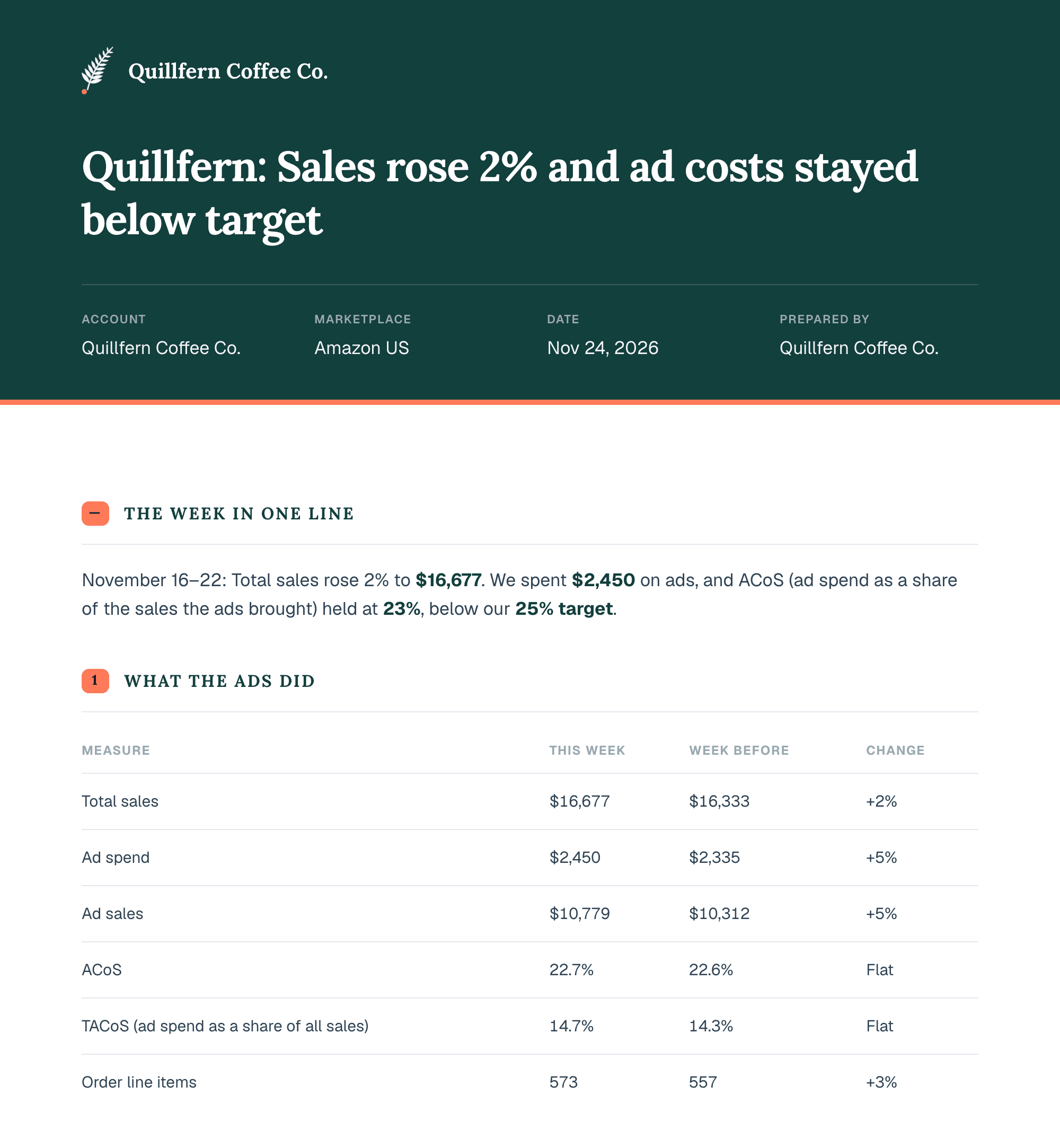
- A button to the same report as a page. The page needs no login.
- Your company's name at the top. The email goes out as your company's name followed by "via Autron", from an Autron address, and its footer says "Sent with Autron".
- A reply reaches you. Replies go to the person who owns the routine.
The button opens the same report as a page:
The digest your team gets is different. It talks to a teammate: it mentions the routine, links into the app, and reports runs that went wrong. None of that is in a client report.
What a client is never sent
- A run that failed or timed out. Your team's digest reports it. The client hears nothing until a run produces a report.
- Anything to approve or open in the app. A client has no login, so the report never asks for one.
If every address on a routine is a client, there is nobody on your side to tell when something goes wrong. In that case the routine's owner gets the digest, with a line saying which clients were not sent anything.
One routine, a report for each client
If you run several accounts, run the routine on several workspaces as one install and give each workspace its own client:
- Create or open a routine that runs on more than one workspace. See Routines.
- On the install's page, find the Client column.
- Add each client's address next to their workspace. Up to five per workspace.
Each client gets their own workspace's report and nothing about the others. The install's own recipients are your team, who get every report as the digest and so see what each client was sent.
The Client Report playbook
The Client Report playbook is a routine written for this. Every Monday it writes a short report for a reader outside your team: sales against the week before, what the ads did, the best sellers, and what you changed. It says "we" for your company, it never mentions Autron, and it changes nothing in the account.
It isn't installed for you. Open Routines in the sidebar, choose the Playbook tab, and install Client Report. See Playbooks.
Your logo and colours
A client report carries your company's brand once you set one. A company admin can open Settings › Branding and add a logo, two colours and a heading typeface. With nothing set, the report uses Autron's own look.
When this does not work
- The client says nothing arrived. Check the routine's last run under Run history. A run that failed, timed out, or had nothing to report sends no client report. A Run now test run is never delivered to anyone.
- The address shows Team and has no menu. That address belongs to someone in your company. Teammates always get the digest.
- The email is in their junk folder. It comes from an Autron address under your company's name. Ask them to mark it as not junk once.
If a report should have gone and did not, email hello@autron.ai with the routine's name and the run's date.