
Amazon Review Requests Ads: Should You Pay for Reviews or Use the Free Button?
Amazon Review Requests ads open in the US in late October. How they work, how billing per review works, and which products should use them before the free button.
TL;DR: Amazon Review Requests ads, opening in the US in late October 2026, show recent buyers a rating card while they shop. You bid a maximum price per rating or review, and only products under 1,000 ratings qualify. Automate the free Request a Review message on every order first, then pay only where reviews hold back conversion, measured against a holdout.

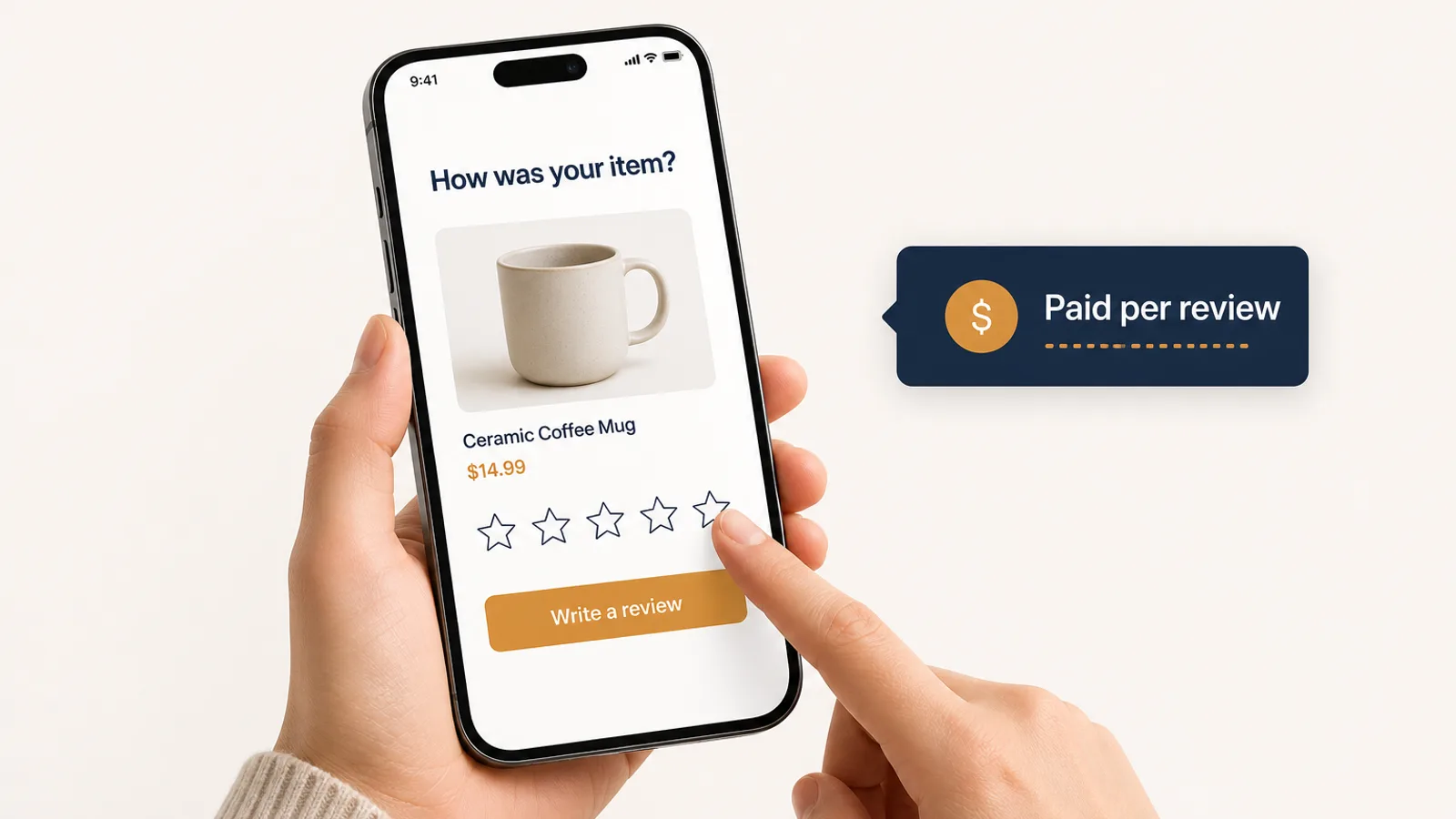
Every seller knows the problem: a product with eleven reviews converts worse than the same product with two hundred, so every ad click you buy for it works less hard. Until now the only compliant ways to fix that were Amazon's free Request a Review message and Vine. In late October a third one arrives, and this one costs money.
Amazon Review Requests ads are a new paid format that asks recent buyers to rate or review your product while they shop on Amazon. Amazon announced it on September 29 and opens it to US sellers and vendors in late October, with an API launch dated October 30. That timing puts it straight into the run-up to Black Friday on November 27.
This post covers how it works, how billing works, how it differs from the free button, and how to decide which products deserve a budget.
What Amazon Review Requests ads are
Review Requests reaches customers who recently bought your product and invites them to leave a star rating, a written review, or photos and video, from a card shown while they browse Amazon. Amazon describes the result as the "same authentic reviews customers already leave. Just more, faster."
The rules from Amazon's announcement and its API guide:
| Availability | US only, open beta from late October 2026. Other marketplaces planned, no dates. |
| Who can use it | Registered sellers and vendors with an advertising account in good standing and no active policy violations. |
| Eligible products | Fewer than 1,000 total ratings and reviews. Checked at creation and while running. |
| At 1,000 ratings | The campaign pauses itself. |
| Where you manage it | Amazon Ads Agent (the renamed advertising console) and the Amazon Ads API. |
| Targeting | None you control. You pick the product; Amazon picks which recent buyers see the card. |
| Beta result | Products got about three times as many ratings and reviews per week during a closed test from June 3 to 21, 2026. |
That beta figure is worth reading carefully. It is a before-and-after comparison over 19 days with no control group, and Amazon has not said which products or categories took part. Treat it as a sign the format works at all, not as a forecast for your catalog.
How Review Requests ads are billed
Under the hood, a Review Requests campaign is a Sponsored Products campaign with an engagement goal, one ad per product and a single fixed target. The billing is unusual. According to Amazon's API documentation, the billable event is a shopper actually leaving a rating or review. You pay nothing for impressions.
That gives you exactly three levers:
- Which products you enroll.
- Your bid, which is the most you will pay for one rating or review.
- Your daily budget, which caps the total.
Everything else is Amazon's: which buyers see the card, where it appears and what it says. Two consequences follow.
You pay for every rating, good or bad. A one-star rating costs the same as a five-star one, and nothing in the format lets you influence the score. That is what keeps it inside Amazon's review policy, and it also means the ad amplifies whatever buyers already think of the product.
Your bid is the ceiling on what a review costs. Amazon has not published typical prices, and the reporting metrics (reviews, written reviews, rating-only reviews and average star rating) only arrive with the launch. Until there is data from real accounts, nobody can tell you what a review will cost in your category. Start low and let the first two weeks set the price.
Review Requests vs the free Request a Review button
The Request a Review button in Seller Central does something similar for free. It sends Amazon's standard email asking the buyer to review the product and rate the seller. You can send it once per order, between 5 and 30 days after delivery, and you cannot change the wording. Vine is the third route: you give free units to Amazon's invited reviewers and pay an enrollment fee per parent product.
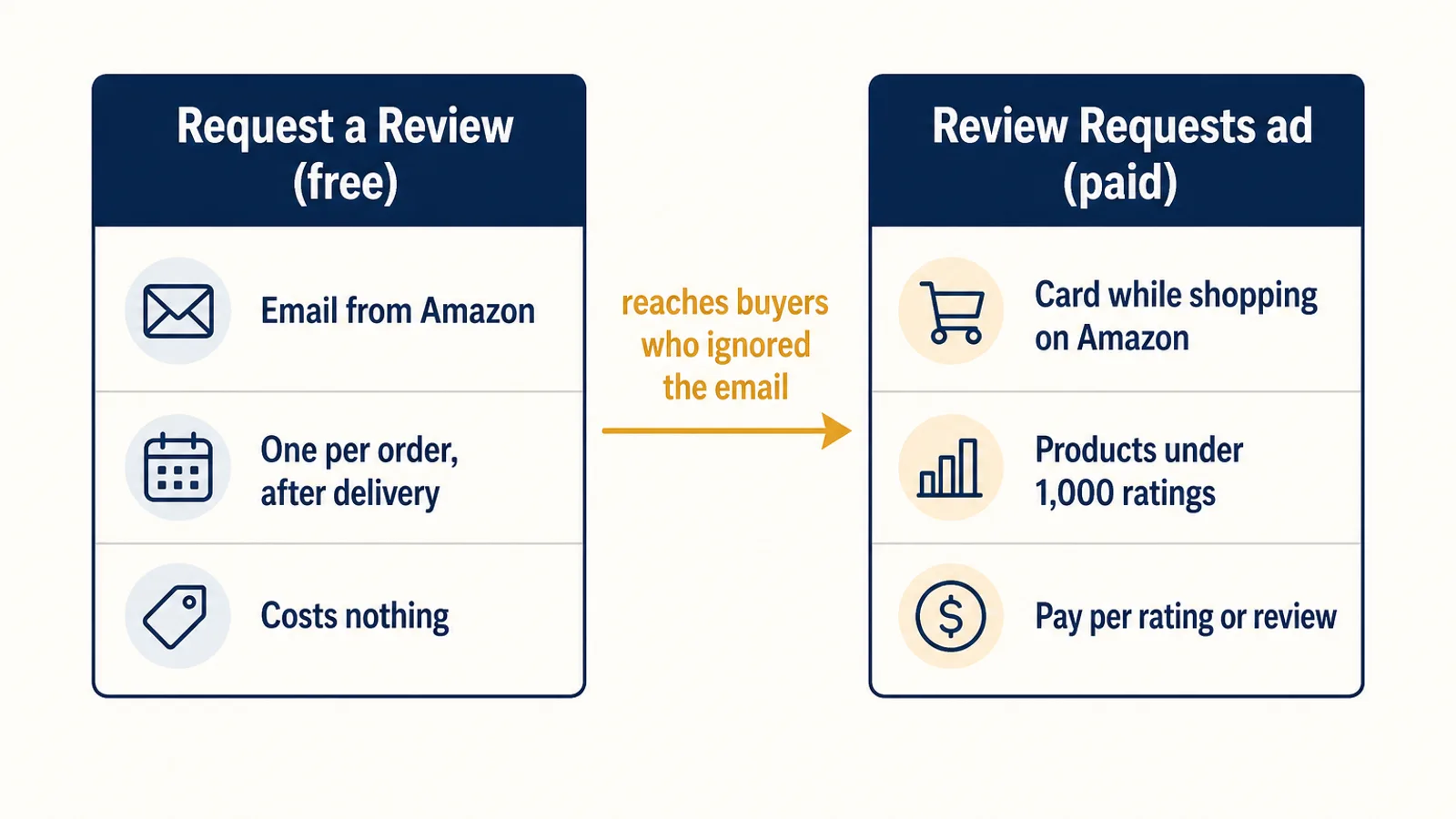
| Request a Review | Review Requests ad | Vine | |
|---|---|---|---|
| Cost | Free | Pay per rating or review | Free units plus enrollment fee |
| Who it reaches | Your buyer, by email | Your recent buyers, on Amazon | Amazon's invited reviewers |
| Timing | Once per order, 5 to 30 days after delivery | While the buyer shops, soon after purchase | After reviewers claim units |
| Eligible products | Any order | Under 1,000 ratings, US only | Few reviews, Brand Registry |
| Best for | Every order, always | Products where reviews hold back conversion | Brand-new launches with zero reviews |
The important point is that these stack. Most buyers ignore the email. The paid card catches some of them later, in a place they are already looking. So the order of operations matters:
- Send the free request on every eligible order first. It costs nothing, and it is the baseline the paid ad is measured against. If you are clicking the button by hand, you are almost certainly missing orders. Automating it is the cheapest review win available.
- Then pay for extra reviews on the products where they change the economics. Paying for reviews you would have got from the free email anyway is the most expensive way to use the new format.
Which products should use Amazon Review Requests ads
Reviews matter most where there are few of them. Going from 8 to 40 reviews changes how a shopper reads a listing. Going from 600 to 650 barely registers. That points to a short list.
Good candidates:
- Products under roughly 50 reviews that already get ad traffic. You are paying for clicks that convert below their potential, so every review you add makes that spend work harder.
- New launches past their first few weeks, once the free requests and any Vine units have run their course and the review count is still thin.
- Products whose conversion rate lags comparable products in your catalog at a similar price, where nothing else (price, images, stock) explains the gap.
Skip for now:
- Products with known quality complaints. You will pay to collect the ratings that are already hurting you.
- Products close to 1,000 ratings. The campaign pauses at the limit, and the marginal review is worth little at that point anyway.
- Products you might run out of in Q4. Reviews help a listing convert. If it is about to go out of stock, that help arrives too late to matter.
What a review is worth to your ad spend
Reviews earn their cost through conversion rate, and conversion rate feeds straight into ACoS. Your ACoS is your cost per click divided by your conversion rate times your price, so a small lift in conversion moves it a lot.
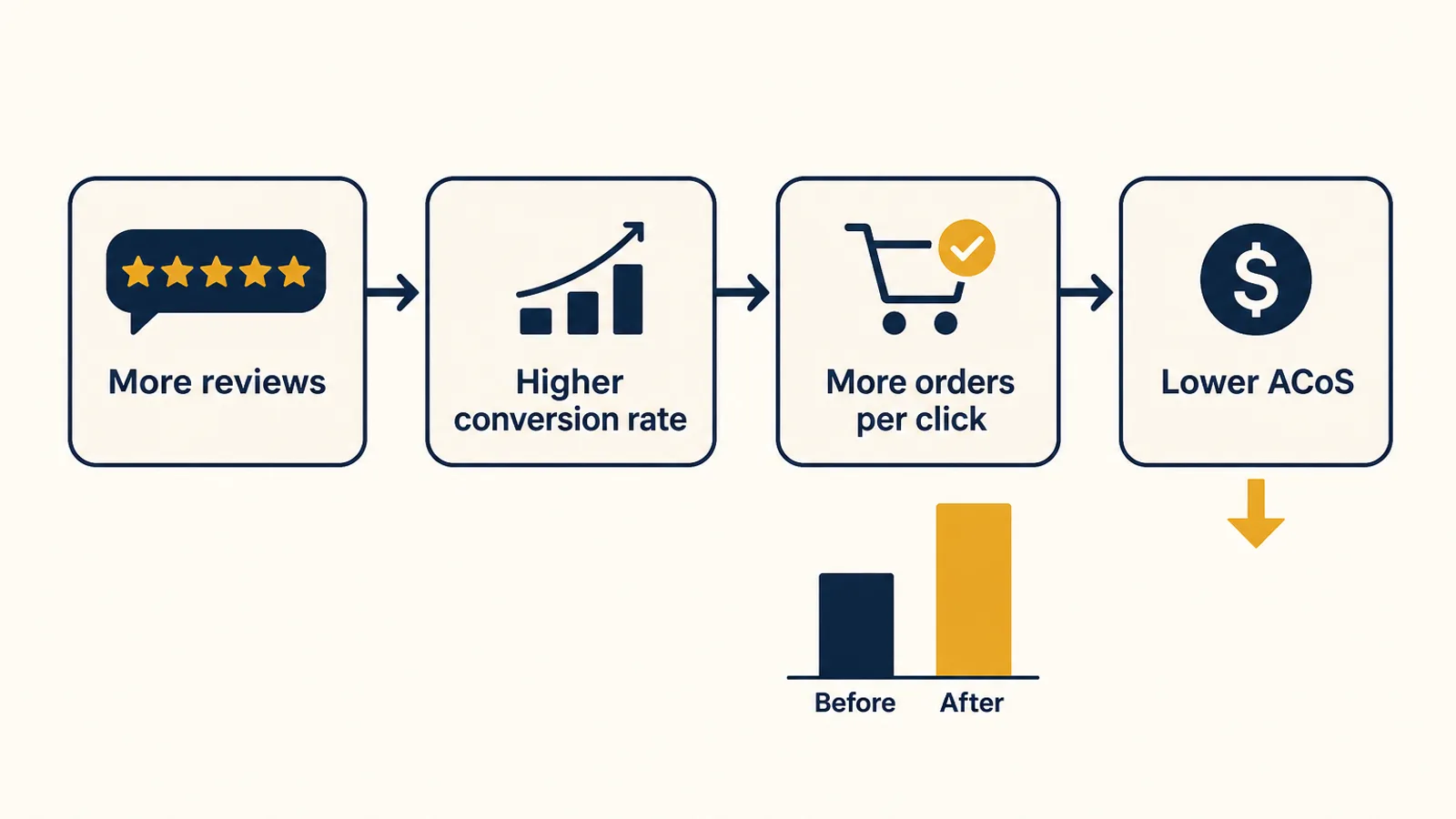
A hypothetical example. A $30 product gets 1,000 ad clicks a month at $1.00 each and converts 10% of them:
| Before | After more reviews | |
|---|---|---|
| Ad clicks | 1,000 | 1,000 |
| Conversion rate | 10% | 12% |
| Orders | 100 | 120 |
| Ad sales | $3,000 | $3,600 |
| Ad spend | $1,000 | $1,000 |
| ACoS | 33.3% | 27.8% |
If a few dozen extra reviews lift conversion from 10% to 12%, the same $1,000 of ad spend brings in $600 more sales every month, and your organic conversion improves too. Against that, a review budget of a couple of hundred dollars pays back fast. If the lift is zero, it never does. The whole decision rests on whether reviews are what is holding the product back, which is why measuring it properly matters more than the bid. For the profit side of that math, see our guide to break-even ACoS, and for how ad spend sits against total sales, ACoS vs TACoS.
How to measure whether Review Requests worked
The easy mistake is to compare products with many reviews to products with few and call the difference "the review effect." Review count mostly tracks a product's age, price and category, so that comparison tells you almost nothing. Run a simple holdout instead.
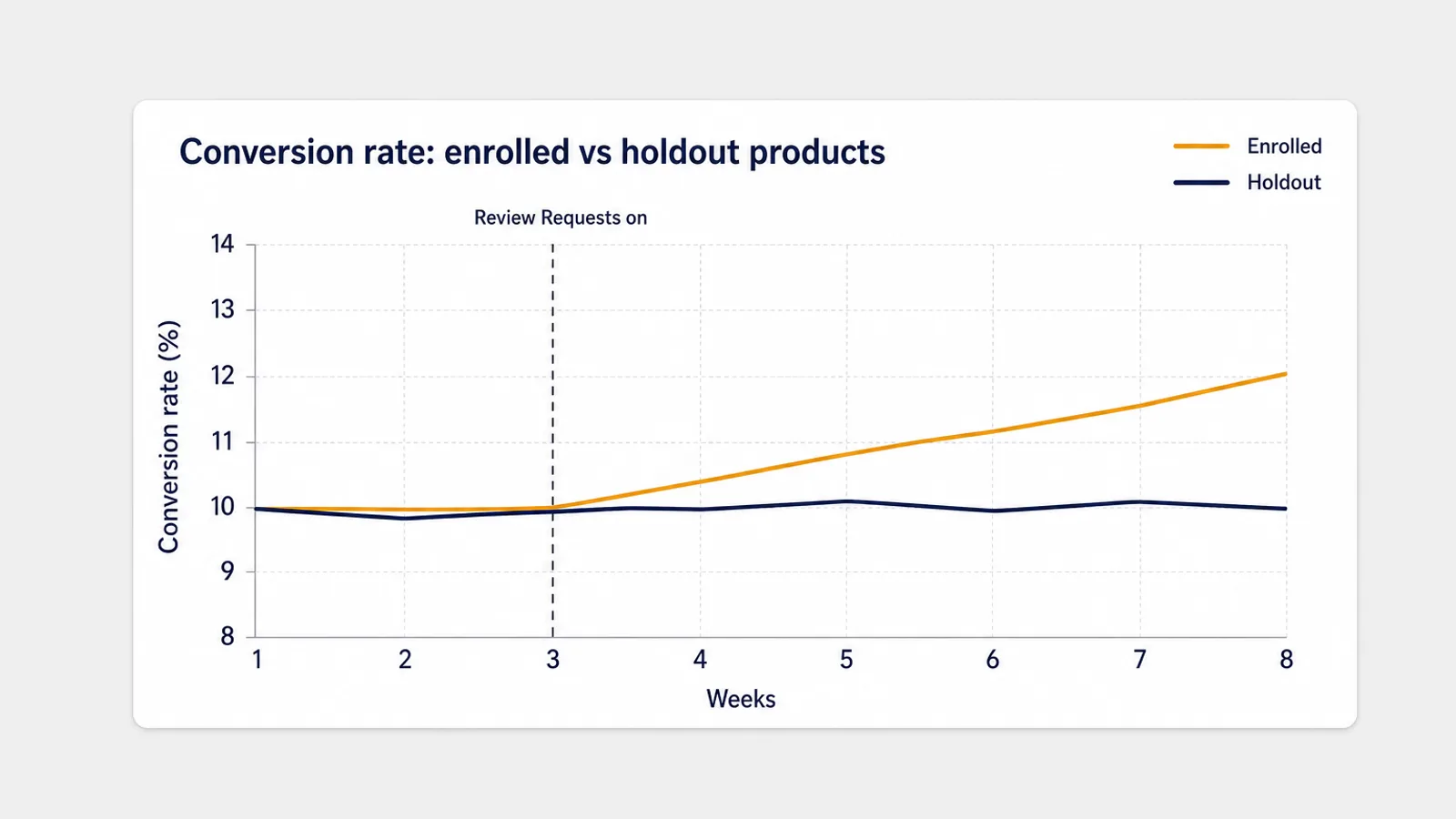
- Enroll half your eligible products and hold back comparable ones for four to six weeks. The signal is how much more the enrolled group improves than the holdout, not how much it improves in absolute terms.
- Use different parent products as controls. Reviews are shared across a variation family, so another size or color of the same product is not a control.
- Watch both conversion rates. Session conversion (units ordered divided by sessions) and ad conversion (orders divided by clicks) should both rise if reviews are working. A bid or placement change only moves the ad side.
- Exclude event days. Black Friday, Cyber Monday, stock-outs and price changes all move conversion on their own. A test that starts on October 30 runs straight into the busiest weeks of the year, so compare like with like and read the results again in December.
- Track cost per review from the new reporting metrics, alongside the average star rating the ad collects.
How Autron handles review requests
Autron already automates the free step. Turn on review requests once and Autron asks Amazon to send its own Request a Review message after every eligible delivered order, 8 days after delivery by default (you can choose 8 to 30). Refunded and cancelled orders are skipped, and the activity list shows every order and whether its request was sent, is pending or was skipped. It is included with the Agent plan and Pro.
That gives the paid format a clean baseline. With every free request already going out, any extra reviews from Review Requests ads are reviews you could not have got for nothing.
For the paid decision, Autron Agent reads your ads, sales and traffic data together, so you can ask "which products have under 50 reviews and a conversion rate below their category average?" or "how has session conversion moved on these five ASINs since the 30th compared with the rest of the catalog?" and get an answer from your own numbers rather than a spreadsheet.
FAQ
What are Amazon Review Requests ads? Review Requests is a paid Amazon Ads format, announced on September 29, 2026, that invites shoppers who recently bought your product to leave a star rating or a written review while they are browsing Amazon. You run it like any other campaign, with a bid and a daily budget, and only products with fewer than 1,000 total ratings and reviews are eligible.
How much do Amazon Review Requests ads cost? Amazon has not published a typical price. You set a bid, which is the most you will pay for each rating or review a buyer leaves, and a daily budget that caps total spend. You pay the same for a one-star rating as for a five-star one, and you cannot target shoppers or influence the rating.
Is Review Requests the same as the Request a Review button? No. The Request a Review button in Seller Central is free and sends Amazon's standard email once per order, between 5 and 30 days after delivery. Review Requests is a paid ad that reaches recent buyers on Amazon itself, including buyers who ignored that email. The two run independently, so you can use both.
Which products should I use Review Requests ads on? Products with few reviews whose conversion rate lags comparable products, new launches, and products where you already spend on ads that convert poorly. Skip products with known quality complaints, since you pay for negative ratings too, and products close to the 1,000-rating limit, where the campaign pauses itself.
When can US sellers start using Review Requests? Amazon says the open beta starts in the United States in late October 2026, and its advertising API release note dates the launch October 30. It is open to registered sellers and vendors with an advertising account in good standing. Other marketplaces are planned but have no dates yet.
Free first, paid where it pays
Before the beta opens, make sure every eligible order already gets Amazon's free review request. Then pick three to five products with thin reviews and real ad traffic, hold back a comparable set, and give the paid format a modest bid. By mid-December you will know whether reviews were the bottleneck, and you will have paid only for the ones the free email could not get.
If you want a second opinion on where conversion is holding your ads back, the free Amazon PPC audit reads your ads against your sales data and shows where the spend is leaking. And Autron Agent starts free and runs from $50/mo.