
Your profile, company and billing settings
Where each setting lives — Settings → Account for your profile and sign-in, Settings → Company for the company name and ID, and Settings → Billing, for company admins, for your plan, credits and invoices.
TL;DR: Settings → Account is you: name, picture, phone and how you sign in. Your sign-in email can only be changed by support. Settings → Company shows the company name and Company ID. Settings → Billing is for company admins: plan, credits, payment method and invoices. If you can't see Billing, ask an admin in your company.

Settings → Account
Your own profile and how you sign in.
- Picture — shown next to your name in the sidebar. JPEG, PNG or WebP, up to 2 MB. Use my Google photo appears if you sign in with Google.
- Profile — your first and last name, which appear in the app and on reports the agent sends, and an optional phone number. Include the country code; it is saved in international format.
- Email — how you sign in and where the agent delivers reports. It can't be edited here. To change it, email hello@autron.ai.
- Security — whether you sign in with Google, a password, or both, with Change password or Set a password. See Sign in, reset or change your password.
Settings → Company
The company this account belongs to. Sellers, members, billing and credits are shared across everyone in it: an agency is one company with many sellers, and a brand with three people is one company with one seller. Everyone in the company can open this page.
- Name — if you created the company, are its admin and are still its only member, you can rename it here and press Save. Otherwise the name is locked here; contact support to change it.
- Company ID — your reference when you write to Autron support. Copy puts it on your clipboard.
- Member since — when the company was created.
Settings → Billing
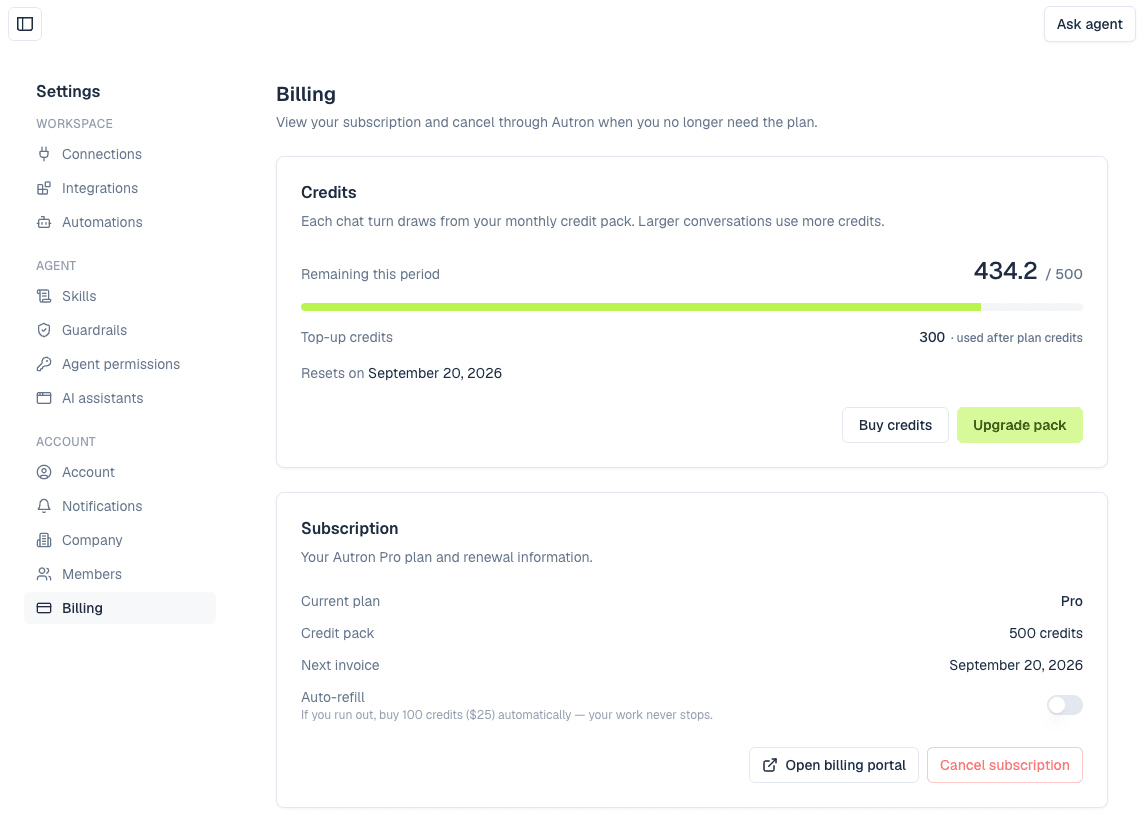
Billing is for company admins. Members don't see it in Settings.
- Credits — your balance and when it resets or refills. On a paid plan, Buy credits adds a one-time top-up and Upgrade pack moves you to a bigger monthly pack.
- Subscription — your Current plan, its credit pack, and the Next invoice date, or Cancels on once you have cancelled. The Auto-refill switch is explained in Credits and pricing.
- Open billing portal — Stripe's portal, where you update your payment method and find your invoices and receipts.
- Cancel subscription — ends the plan straight away: the engine stops, we pause the campaigns the ad engine built, and you move to the free plan. Your own campaigns aren't touched, and nothing is deleted. If the page shows Cancels on a date instead, that cancellation was scheduled earlier and Resubscribe takes it back.
- Upgrade plan — shown when you have no paid plan, and opens the plans to choose from.
Credits and pricing explains how each plan and top-up behaves; Plans compares them.
Agencies: who pays for each account
On an agency plan, an Accounts card lists each Amazon account with who pays for it: On your invoice, Client pays or Awaiting card.
To have a client pay for their own account, open its menu and choose Let the client pay…. Enter their billing email and press Send payment link, or Copy payment link to send it yourself. The client enters their card, company and tax details on that page and gets their own invoice. You keep managing the account, at your agency rate. Nobody is billed for that account until they add a card.
Move back to my invoice puts the account back on yours and retires the link. It does not cancel a subscription your client has already started.
Who can change what
Admins invite and remove teammates, change roles, and manage billing. Members can use everything else: the agent, routines and the company's sellers.
If Billing or Members is missing from your Settings menu, you are a member. Ask an admin in your company to make the change, or to make you an admin. See Invite your team.