Every week, from a routine
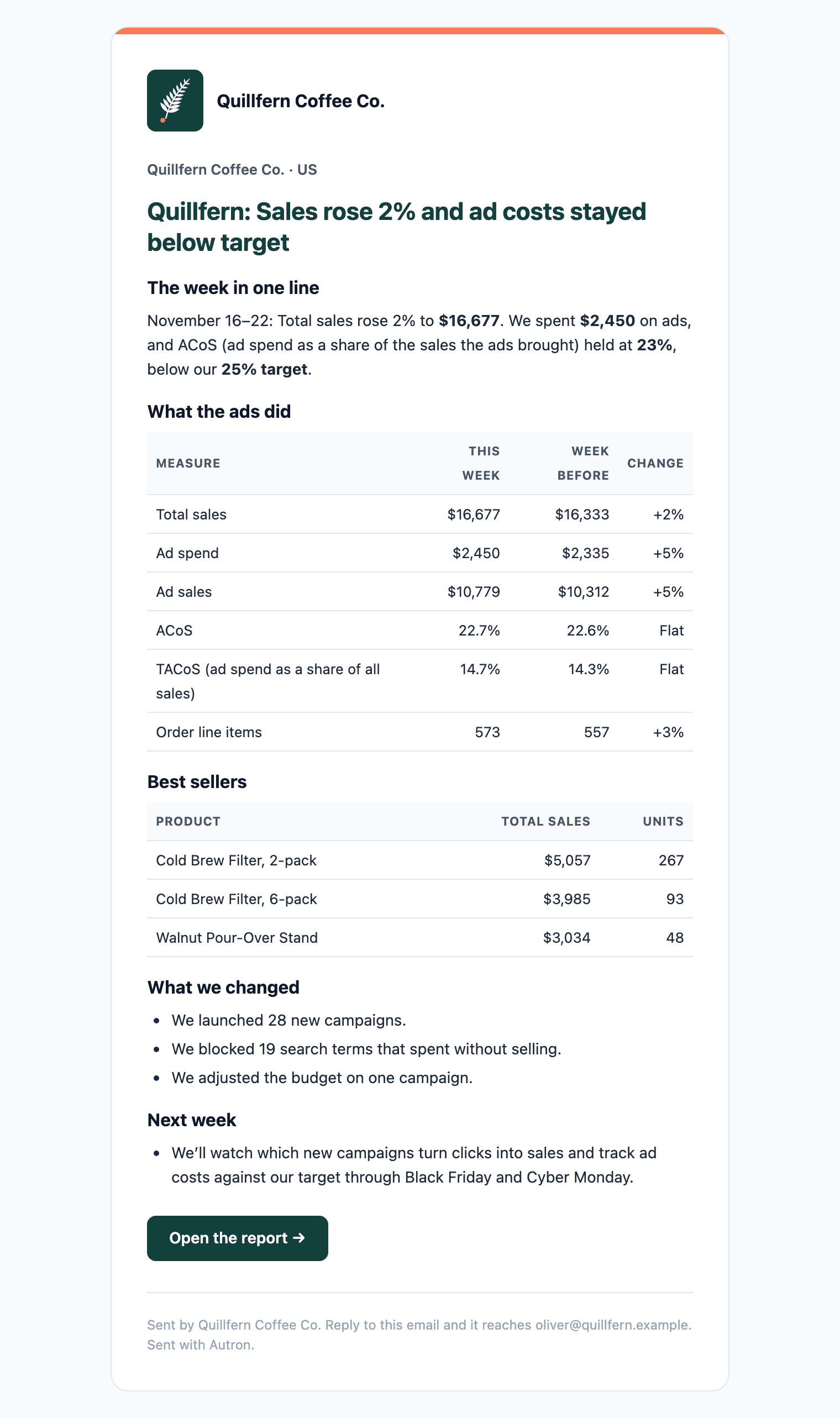
Make a page a routine’s report page. Each run fills it, and your client’s email opens it with no login.
Ask the agent for a report and it builds a page: a client’s weekly report, an account review, any layout you describe. Every figure is read from your own ads and sales data.
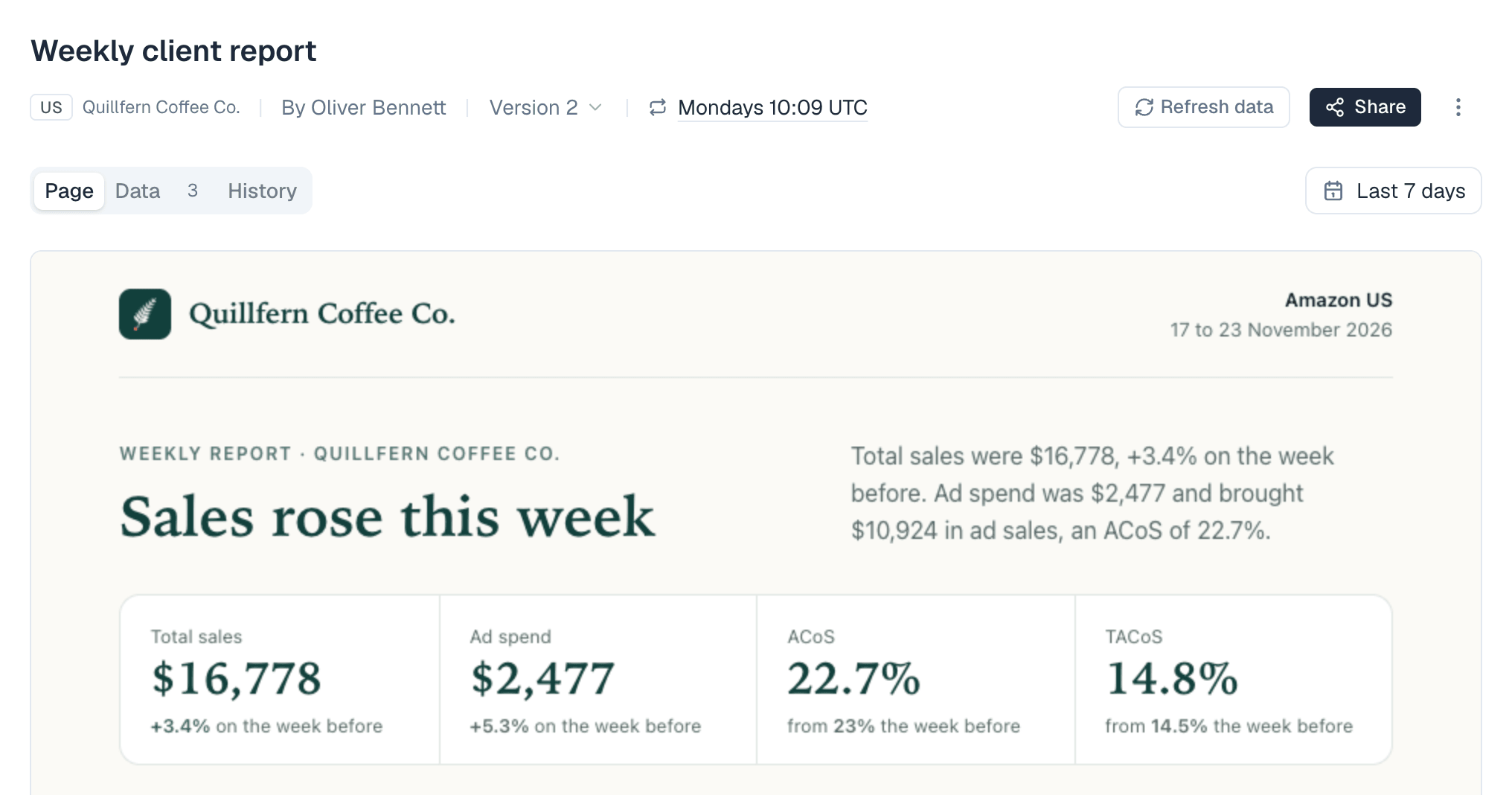
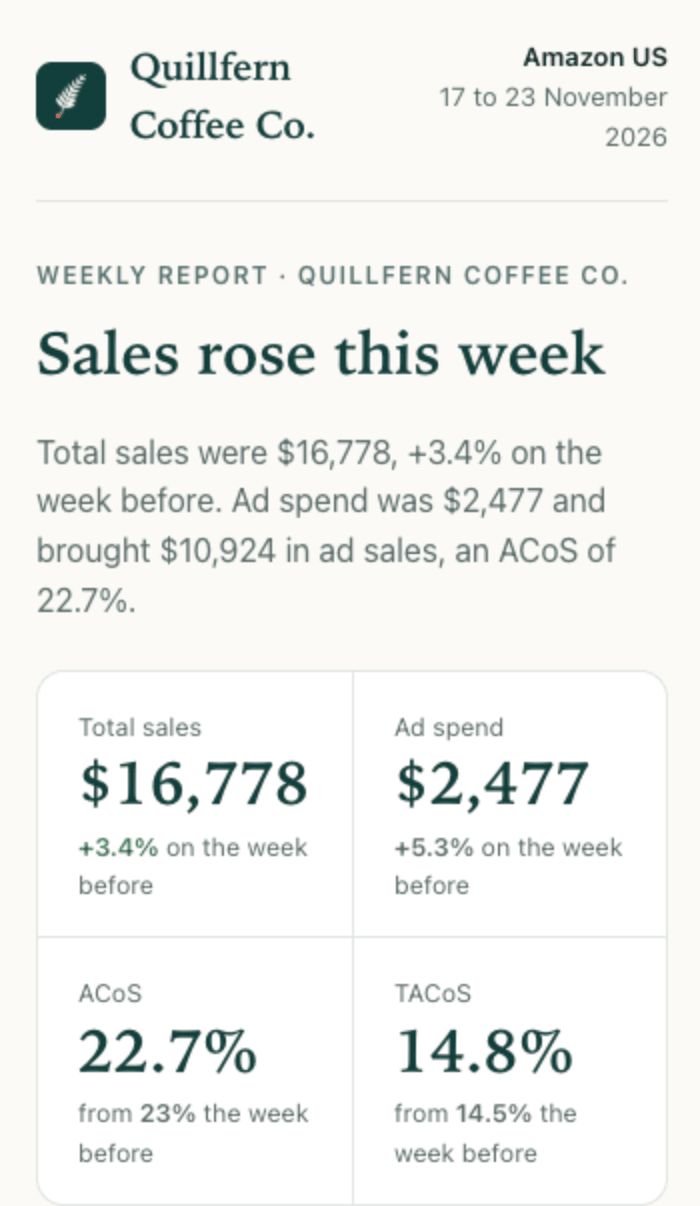
There is no form. Say what the report should show and how it should look. The agent writes the page, reads the figures and saves it under Pages.
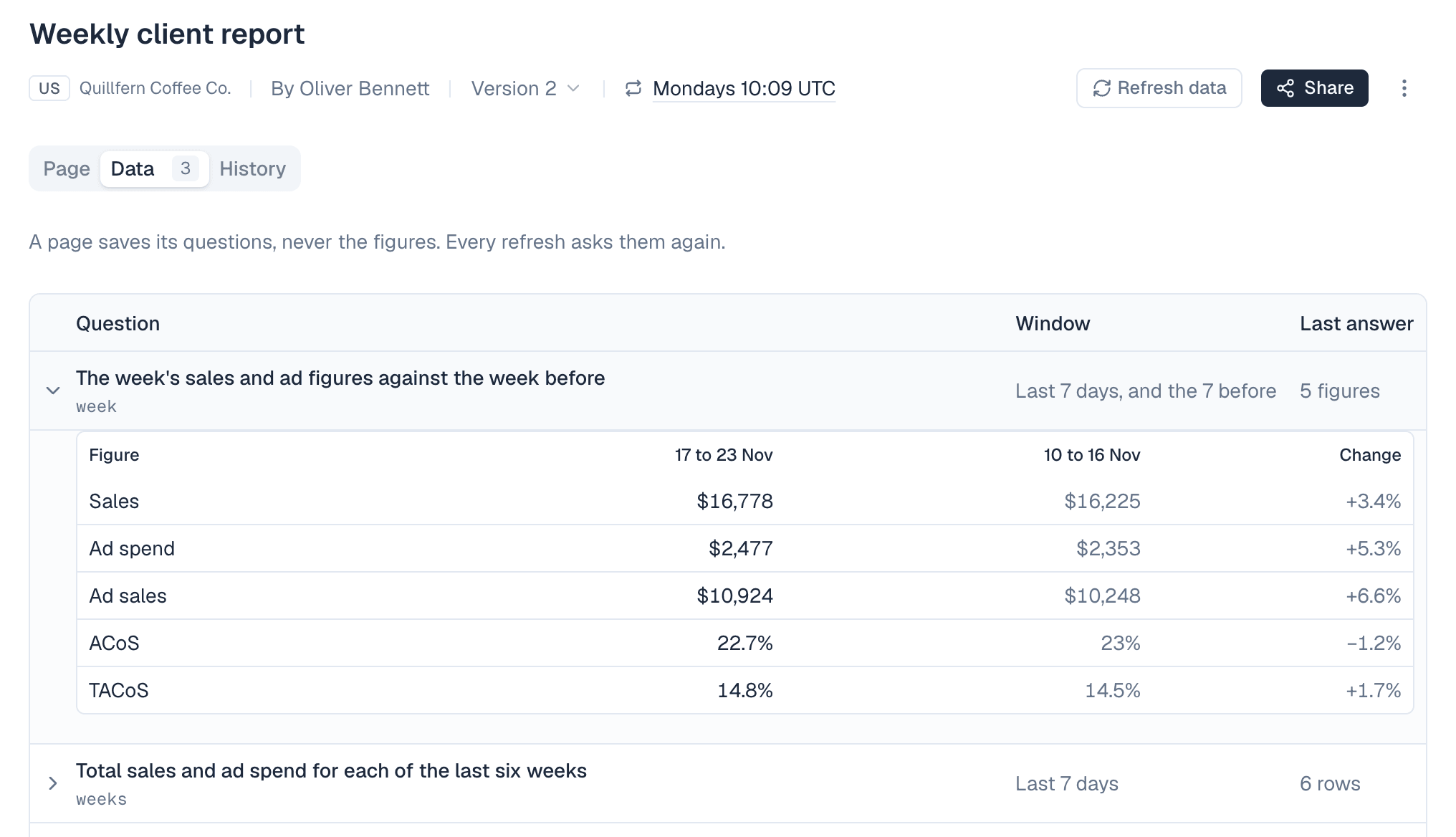
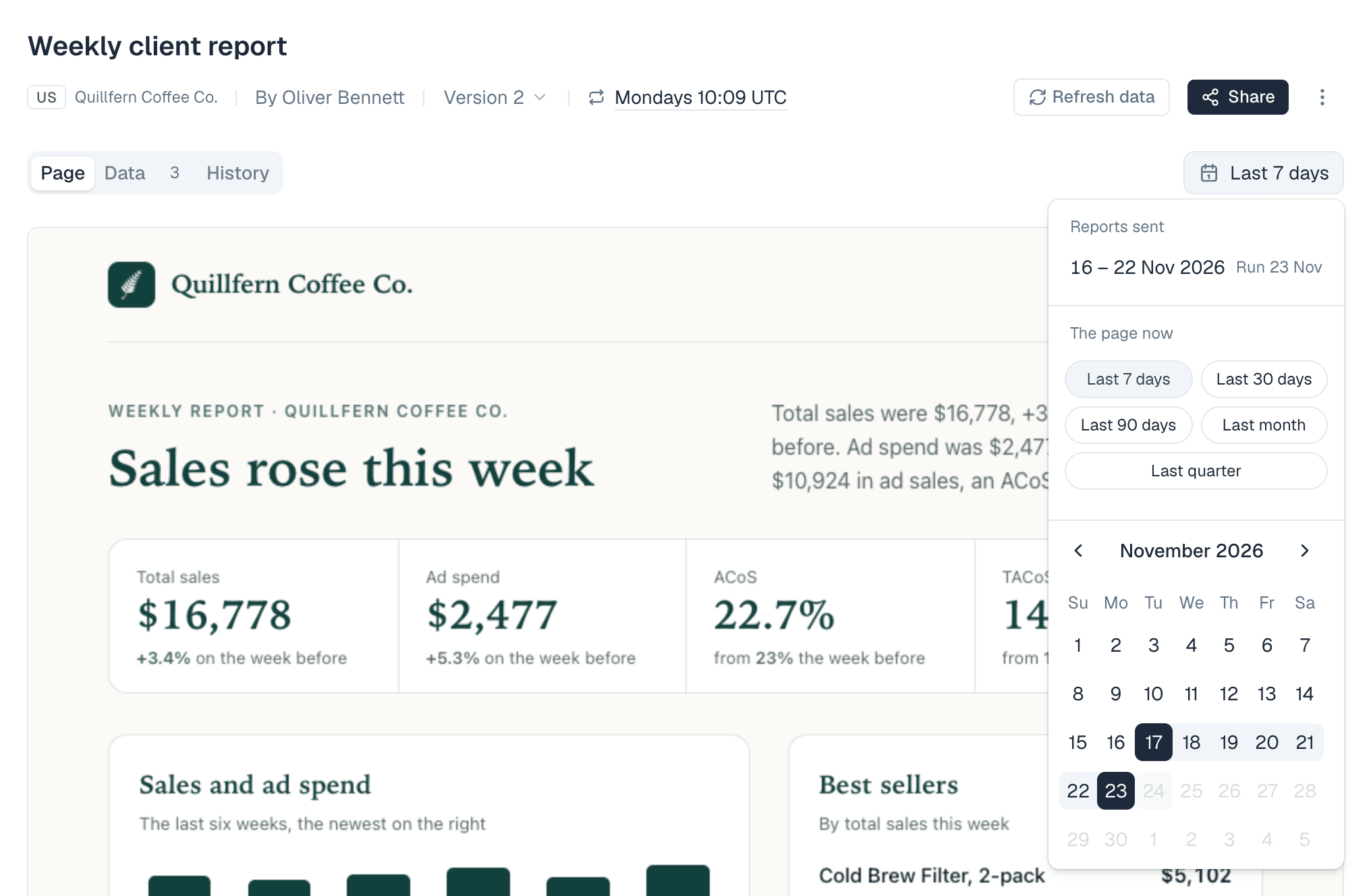
A page holds no typed-in figures. Its Data tab lists each question the page asks and the answer it is drawn from, so you can check any number on it.
Look at a page over another week, month or quarter. A page a routine fills keeps every report it sent, exactly as it went.
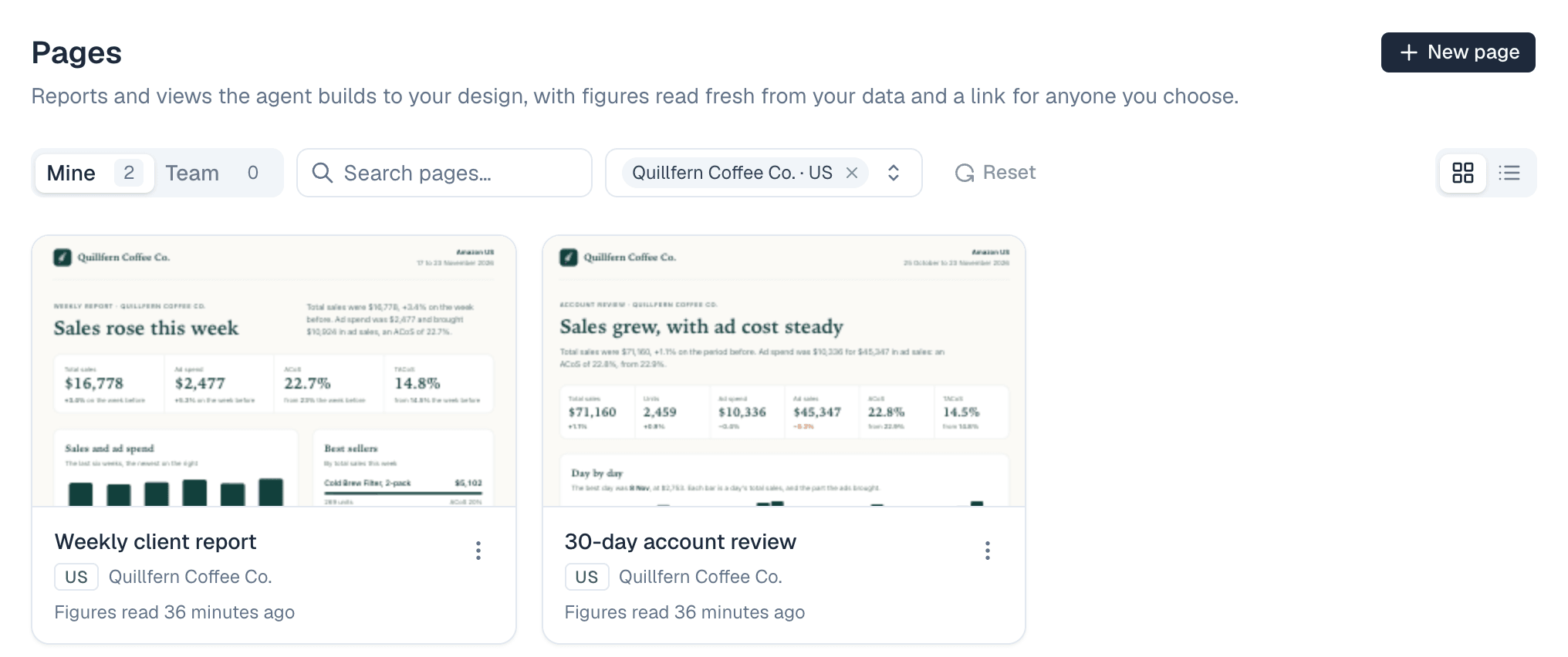
Every page is kept under Pages, drawn small so you can tell them apart. Find one by its name, its workspace or who made it.
A page goes to a client by link, as a PDF, or every week from a routine.
Make a page a routine’s report page. Each run fills it, and your client’s email opens it with no login.
Share makes a link that needs no login, and you can turn it off at any time. Download PDF gives the page on one long sheet.
Your logo, name and colours from Settings › Branding, on every page.
Reading the figures again needs no chat and uses no credits.
Each change is a new version. Look back at one, or restore it.
On a Walmart workspace, a page shows Walmart’s ad figures.
Pages, routines to send them, and playbooks.
Everything in Agent, and the ad engine.
Ask the agent in the chat, in your own words: “Make me a one-page report of last week.” There is no form to fill in. The page is saved under Pages the moment it is made. On Agent and Pro you can also ask from Claude or ChatGPT, with Autron connected there.
They are the figures from the last time the page was read. Press Refresh data to read them again, which uses no credits. A page a routine fills is read again on every run.
No. A share link opens the page with no login, and so does the button in a client report email. Anyone with the link can open it, so send it only to people who should read it. You can turn a link off at any time.
Pages come with Agent, from $50 a month, and Pro. Making or changing a page is a chat with the agent and uses credits like any chat. Opening, refreshing, looking at another period, sharing and downloading a PDF use none.
Yes. On a Walmart workspace a page shows Walmart's ad figures: ad spend, ad sales, ACoS, clicks and the rest, by item and by search term. Walmart's ad data has no total sales or profit, so a Walmart page cannot show those.
Ask for it in the chat. It is saved under Pages, ready to share.