Your brand is how your company looks to the people you send reports to. Set it once and every client report page and client report email carries it: your name, your logo, your colours.
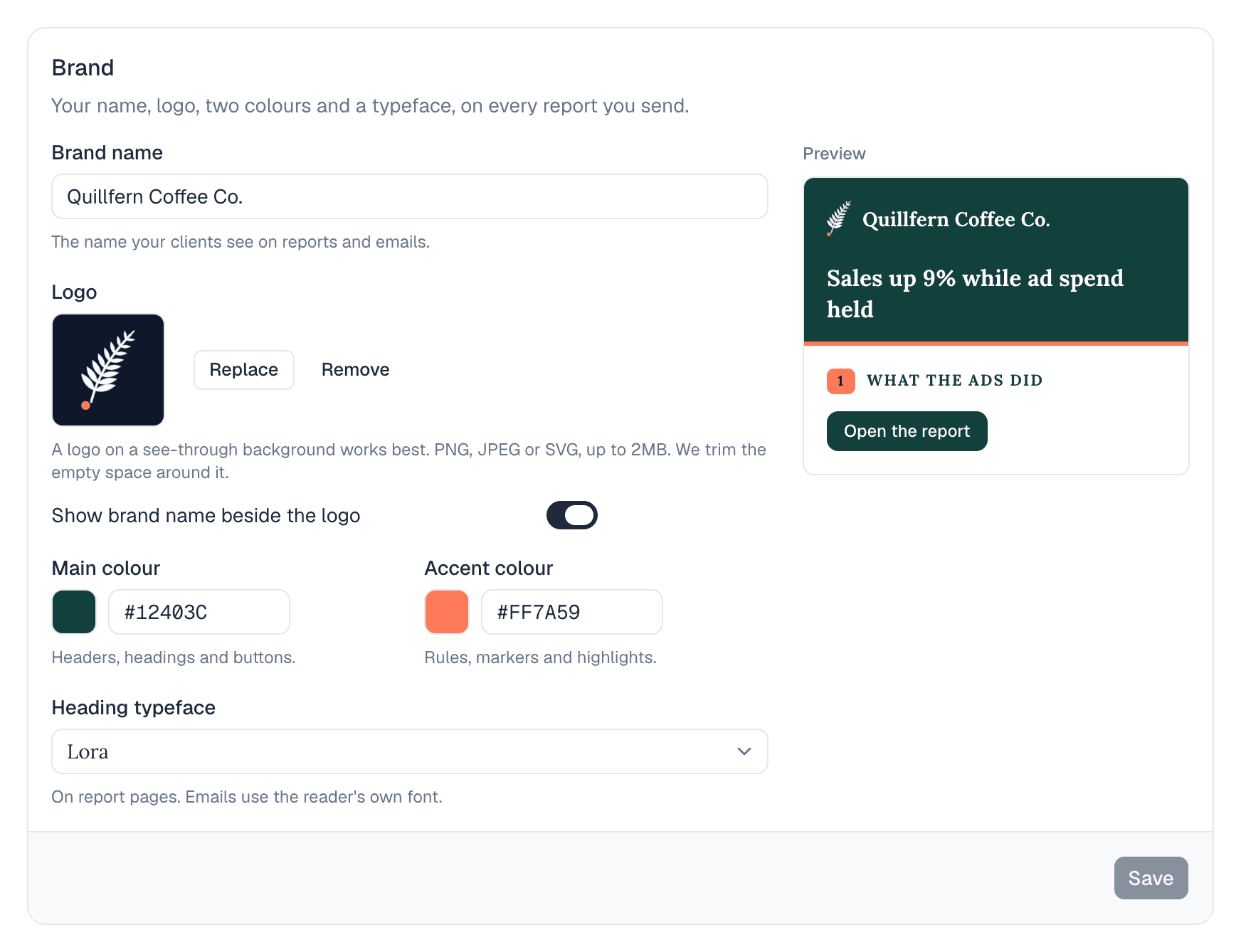
A company admin sets it in Settings › Branding. The page shows a preview beside the settings, drawn the way a report will be.
Brand name
The name your clients see on reports, in emails and in an email's From line.
It starts as the company name you signed up with. If you trade under another name, type that instead. One line, up to 60 characters, with no email address or link in it.
Logo
Click Upload and choose a PNG, JPEG or SVG, up to 2MB.
- A see-through background works best. The logo then sits cleanly on your main colour.
- Empty space around the logo is trimmed for you, so a small logo in the middle of a large white picture is not shown as a speck.
- A picture with a background of its own, such as a JPEG on white, is kept as it is and shown as a rounded tile.
The box beside the buttons shows your logo alone. Replace swaps it, and Remove takes it off.
Show brand name beside the logo
Once you have a logo, this switch appears under it. It is on to begin with.
- On: your logo with your brand name beside it. Use this for a symbol or a square logo.
- Off: your logo alone. Use this when the logo already spells out your name.
Colours
- Main colour is used for headers, headings and buttons.
- Accent colour is used for rules, markers and highlights.
Type a hex value, such as #12403C, or leave a field empty to keep Autron's own.
Heading typeface
The typeface for headings on report pages. There are six to choose from: Space Grotesk, Inter, Montserrat, Poppins, Lora and Playfair Display.
Emails keep the reader's own font. Mail apps drop web fonts, so the typeface applies to the page only.
Where the brand appears
- Client report pages, the page a client opens from their email.
- Client report emails. They are sent as your brand name followed by "via Autron", from an Autron address.
This is the top of a client report page with a brand set:
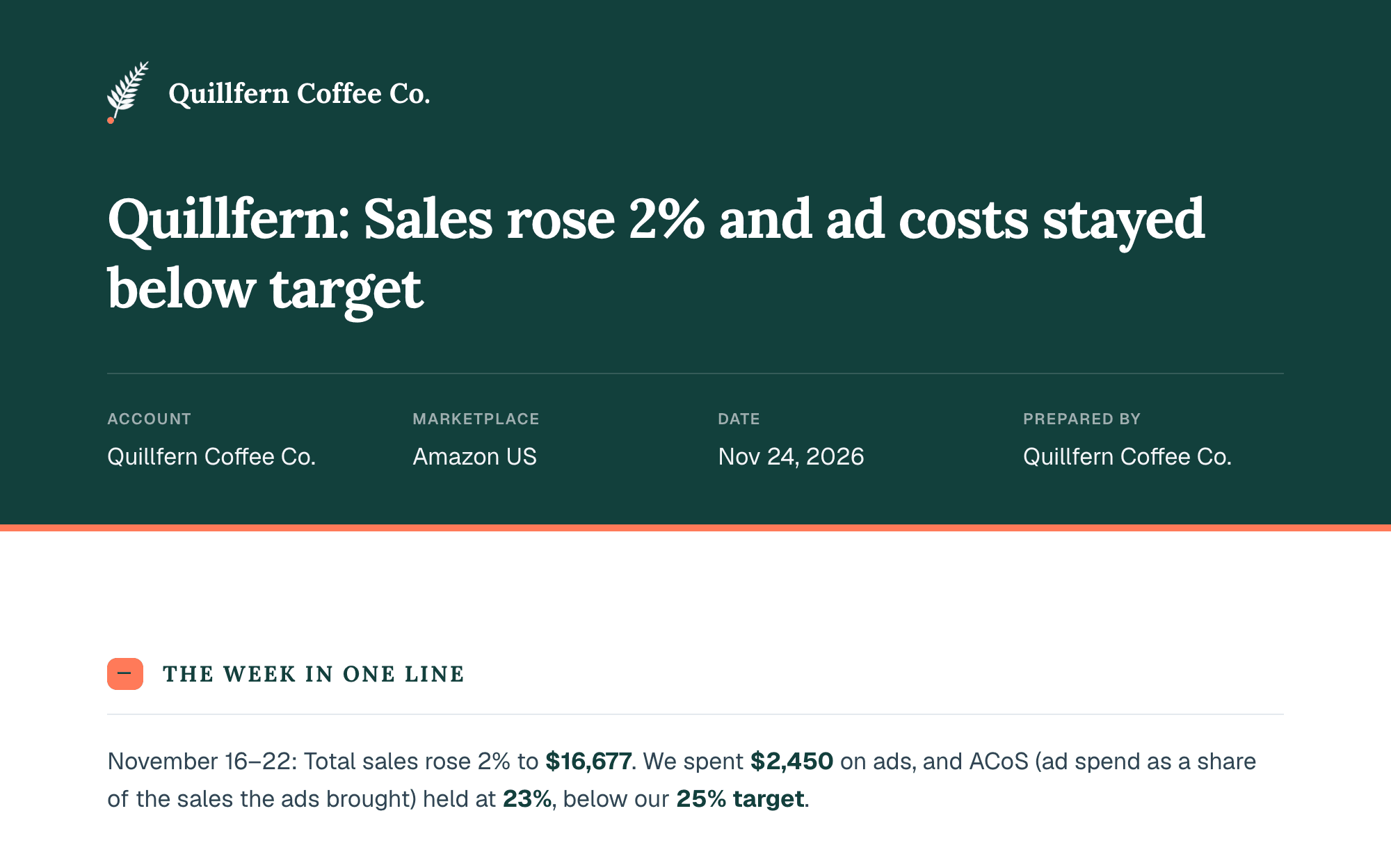
- Your logo, with your brand name beside it.
- Headings in your typeface, on your main colour.
- Markers and rules in your accent colour.
The brand does not change the app itself, or the digests your own team gets.
To send a client report, see Client reports.
When this does not work
- You do not see Branding in Settings. Only company admins do. Ask an admin of your company.
- The logo looks tiny in the preview. Upload the logo file itself, not a screenshot of a page with the logo on it.
- A white logo is hard to see in the logo box. A white logo is shown on a dark box there so you can see it. On reports it sits on your main colour.
- The upload is refused. The file must be a PNG, JPEG or SVG of 2MB or less.
For anything else, email hello@autron.ai.