
Stop the engine, disconnect Amazon, or close your account
The levels of switching Autron off, from one product or the whole ad engine to removing Autron's access to your Amazon account or deleting your account, and what each one leaves running.
TL;DR: Switching a product off on Goals pauses the engine's campaigns for it, though campaigns on your own brand name can keep running. Stop ad engine pauses every campaign the engine built, brand-name ones included, and never your own. To cut Autron off entirely, revoke its access on Amazon's side. To delete your account, email hello@autron.ai.

Stop the engine, keep the account
The two switches on Goals do different things to your campaigns.
- Switch a product off on its row, or select several and press Turn off. The engine pauses its campaigns for those products and keeps their targets. Campaigns on your own brand name cover more than one product, so they can keep running; to stop one, ask the agent to pause it. A campaign you've paused, changed or put hands-off on through the agent is left as it is. Switch a product back on and the engine's campaigns restart; campaigns in the Autron Strategic portfolio stay paused until you ask the agent to switch them back on.
- Stop ad engine, at the top of the page, stops Autron on every product and pauses the campaigns the ad engine built, brand-name ones included. Your own campaigns aren't touched, and neither are those in the Autron Strategic portfolio or a campaign you've stepped in on through the agent. Start the engine again and it turns its campaigns back on for the products you start it on.
So to stop all of the engine's campaigns spending, Stop ad engine is the one switch. A pause made through the agent stays until you hand it back, even after you start the engine again. Either way your targets are kept, so starting again later is quick.
To change a bid or pause a campaign the engine runs and have it stick, do it through the agent rather than by hand in Amazon Ads. See Exceptions.
Cancel a paid plan
Settings → Billing → Cancel subscription. The plan ends straight away and you drop to the free plan, and nothing is deleted. See Autron plans.
Cancelling stops the engine and pauses the campaigns the ad engine built at once. Your own campaigns aren't touched. A failed payment pauses nothing while it is retried.
Stop Autron's emails
To stop the weekly summary or other emails without switching anything else off, see Emails Autron sends, and how to turn them off.
Remove Autron's access to Amazon
Access is granted on Amazon's side, so that is where it is revoked:
- Amazon Ads: in the advertising console, under account access, remove Autron from the users and apps that can reach the profile.
- Seller Central: Apps and Services → Manage your apps, then revoke Autron.
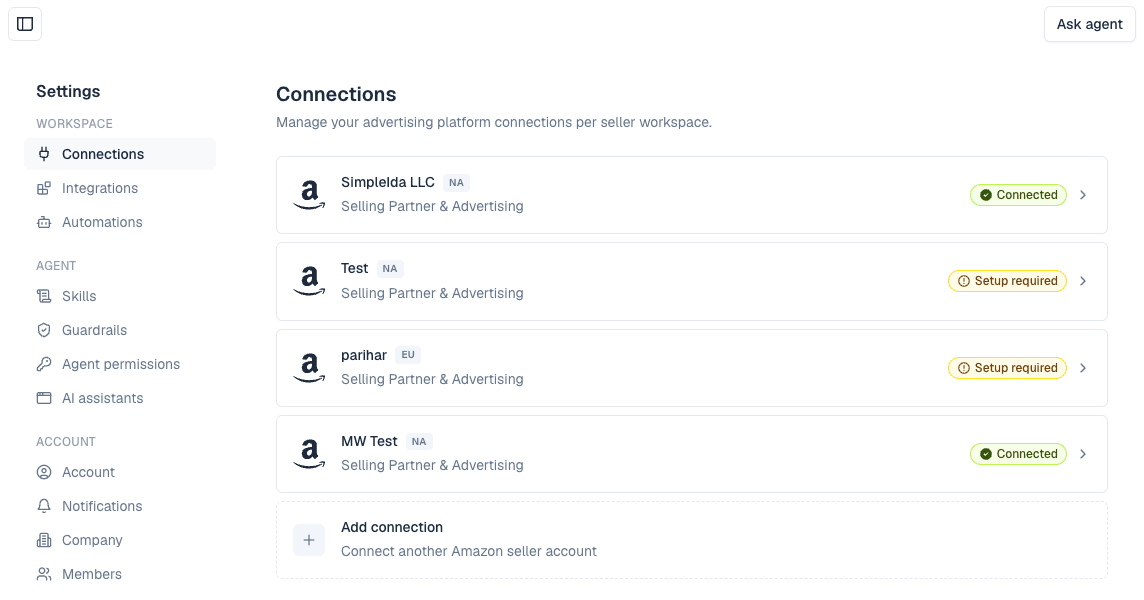
Once revoked, Autron stops seeing the account at all: no reporting, no agent answers about it, and the engine stops with it. Your campaigns stay as they are. Nothing you set up in Autron is deleted, and reconnecting from Settings → Connections restores it.
Delete your account and data
Email hello@autron.ai from the address you sign in with and say which company or seller accounts it covers. There is no self-serve delete. Revoke Amazon access first if you want to be certain nothing is read in the meantime.