
Your products in Autron: what is listed, which to advertise, and out of stock
Where your product list comes from, how to decide which products the engine should run, what happens to advertising when a product runs out of stock, and how to look one up.
TL;DR: Goals lists every product Amazon lists for you, with its target, its ad-engine switch and how it is doing. Start the engine on your best sellers and launches rather than everything. When a product runs out of fulfillable stock the engine lowers its bids on its own and restores them when stock is back.

Where the list comes from
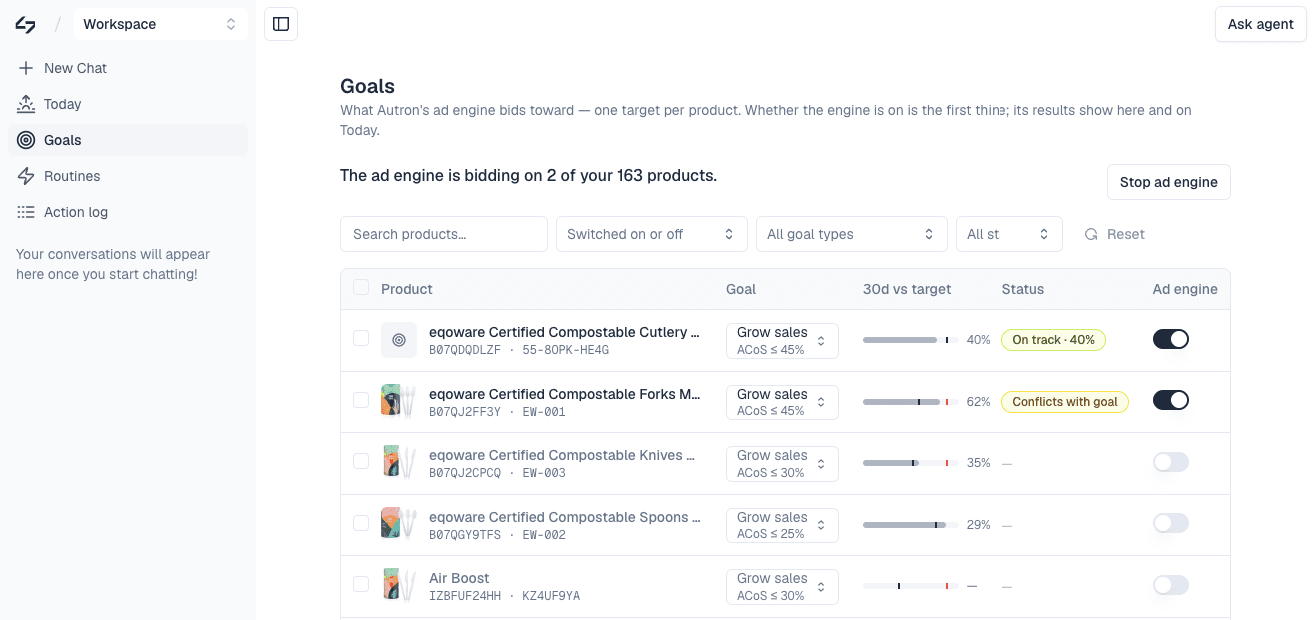
Goals lists every product you sell, with its target, whether the ad engine is bidding on it, and how it is doing against that target. The list mirrors your Amazon catalogue and refreshes with each sync.
Search and filter there to find a product, or ask the agent about one by name or ASIN and get the same picture in a sentence, including whether anything is holding it back.
Which products to advertise
You can run the engine on your whole catalogue or on a handful — each product has its own switch, and Start ad engine suggests a set when you are choosing.
Advertising everything spreads your budget thin and slows learning. Start with:
- your best-selling or highest-converting products
- products with healthy inventory and reviews
- launches you want to push
Add the rest once you can see how the first set is doing against target. You can set a product-specific target on any row, or select several and set one ACoS or TACoS cap across them. Switching a product off pauses the engine's campaigns for it, apart from those on your own brand name, and keeps its target for when you switch it back on. See Manage goals.
Out of stock
You do not need to pause anything when a product sells out. The engine reads your inventory from Selling Partner and, when fulfillable stock is low or gone, lowers its bids on that product sharply — effectively pausing the advertising without deleting the campaigns. When stock is back, bidding resumes against the target as before.
Two things this depends on:
- A Selling Partner connection, which is what carries inventory. Without it the engine cannot see stock levels. See Connect Amazon Advertising.
- FBA stock. Inventory-aware bidding follows fulfillable FBA quantity. For merchant-fulfilled products, switch the product off when you cannot ship.
If you would rather stop the product entirely while it is out — a long restock, say — switch it off on its row. That pauses the engine's campaigns for it and keeps the target. Campaigns on your own brand name cover more than one product, so they can keep running; to stop one, ask the agent to pause it. Switching it back on restarts the engine's campaigns, but not those in the Autron Strategic portfolio.
Outdated or inactive products
If a product you no longer sell is still listed, it is still in your Amazon catalogue. Leave its switch off, or delist it on Amazon. Email hello@autron.ai if a product appears that should not.