
Use Autron with ChatGPT
ChatGPT can connect to Autron through our MCP server, so you can check advertising performance, explore keyword opportunities, and manage your goals through a simple conversation.

What can you do with Autron + ChatGPT?
Once connected, you can ask ChatGPT things like:
- "How are my ads performing this month?"
- "What's my ACoS across all products?"
- "Show me keyword opportunities for [product name]"
- "Create a 25% TACoS goal for my new product"
- "Pause my Spoons campaign"
ChatGPT reads live data from your Autron account and, on a paid plan, can take actions such as adjusting goals or managing campaigns and bids. Read‑only questions run automatically. Autron labels which of its tools make changes, but whether ChatGPT asks you to confirm before running one is set in ChatGPT, not in Autron. The Agent permissions in your Autron account apply to chats in the Autron app and to routines, not to a connected client.
Managing routines, skills, guardrails, playbooks and Today panels, and uploading a new video, only work in the Autron app. See What is the Autron agent.
To connect another assistant that supports MCP, see Autron’s MCP server.
How to connect Autron to ChatGPT
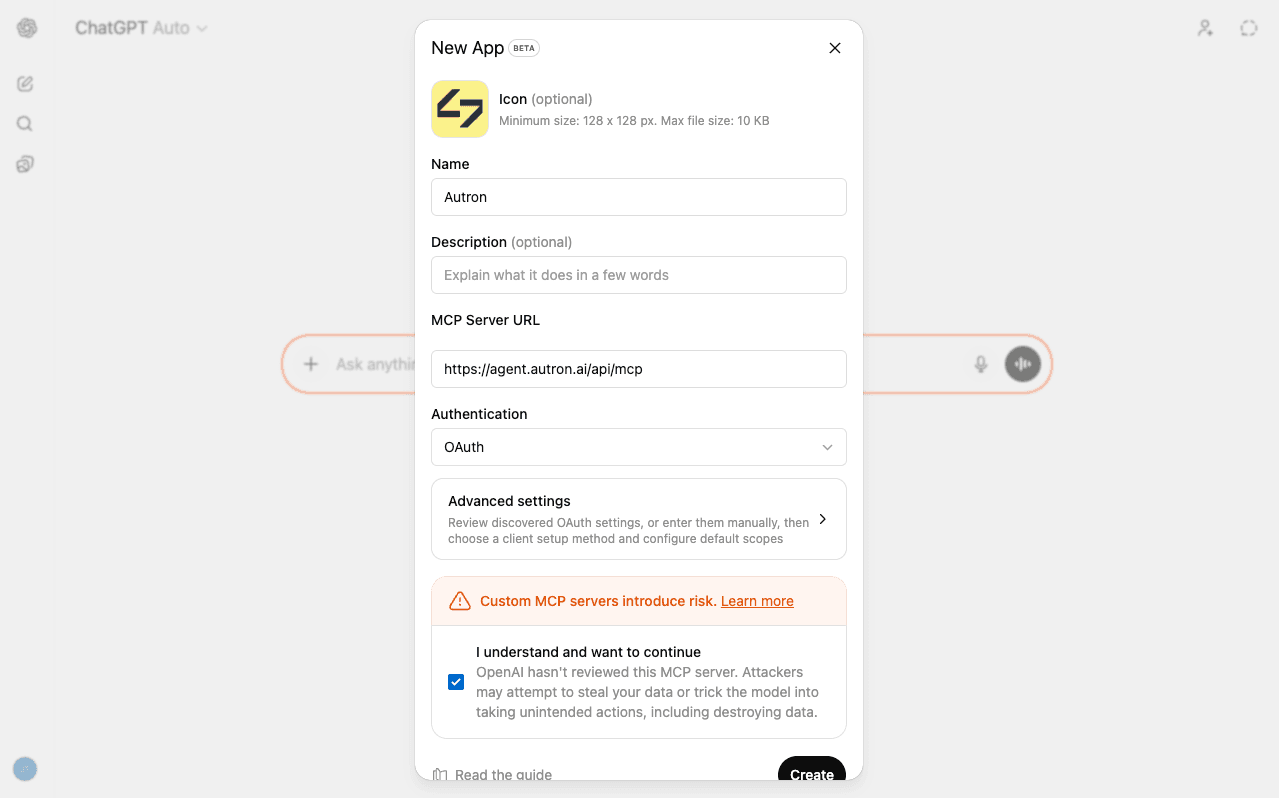
Add Autron to ChatGPT as a custom app, using our MCP server.
- Go to Settings → Apps
- Open Advanced settings
- Turn on Developer mode
- Click Create app
- In the Name field, enter:
Autron - In Description you can optionally enter something like:
Amazon advertising assistant for Autron - In MCP Server URL, paste:
https://agent.autron.ai/api/mcp - Under Authentication, leave OAuth selected
- Tick the checkbox next to I understand and want to continue
- Click Create
- Follow the sign-in and authorization flow for your Autron account
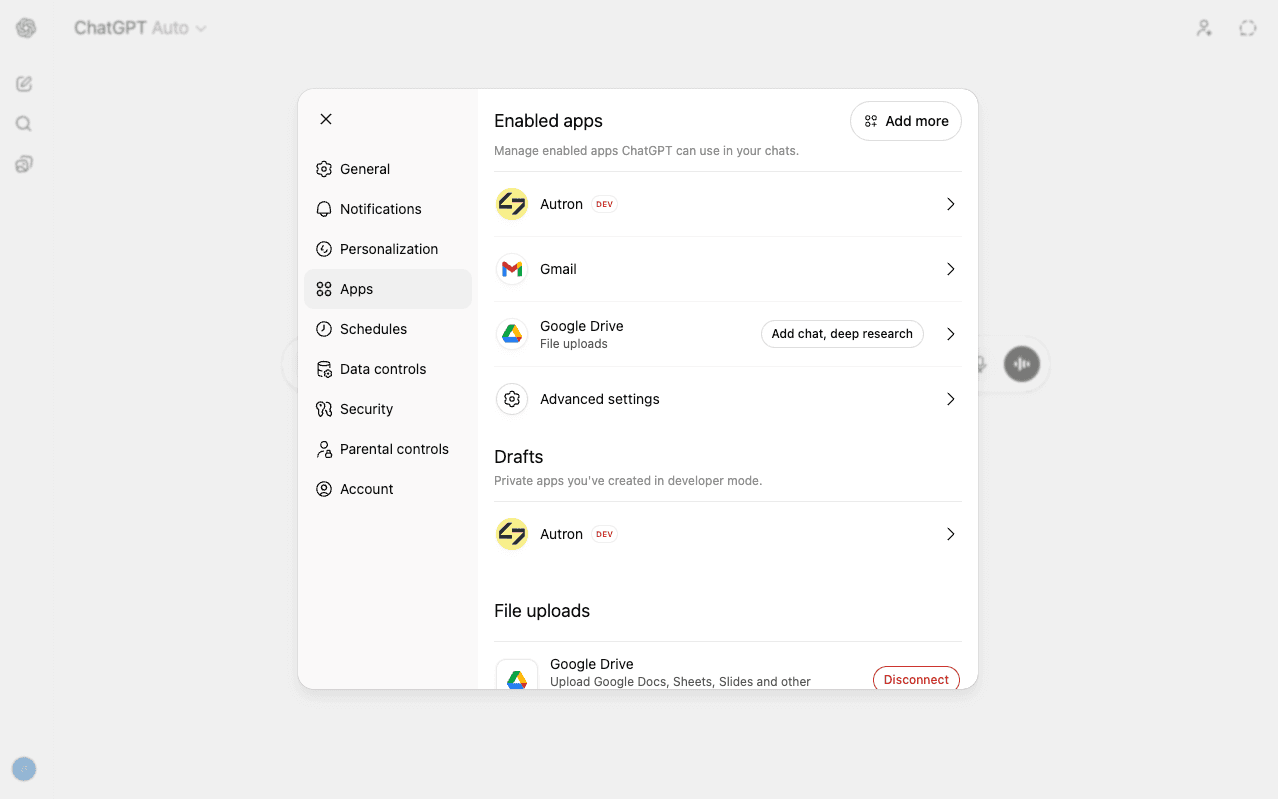
Once added, you'll see Autron listed on your Apps page with a DEV badge:
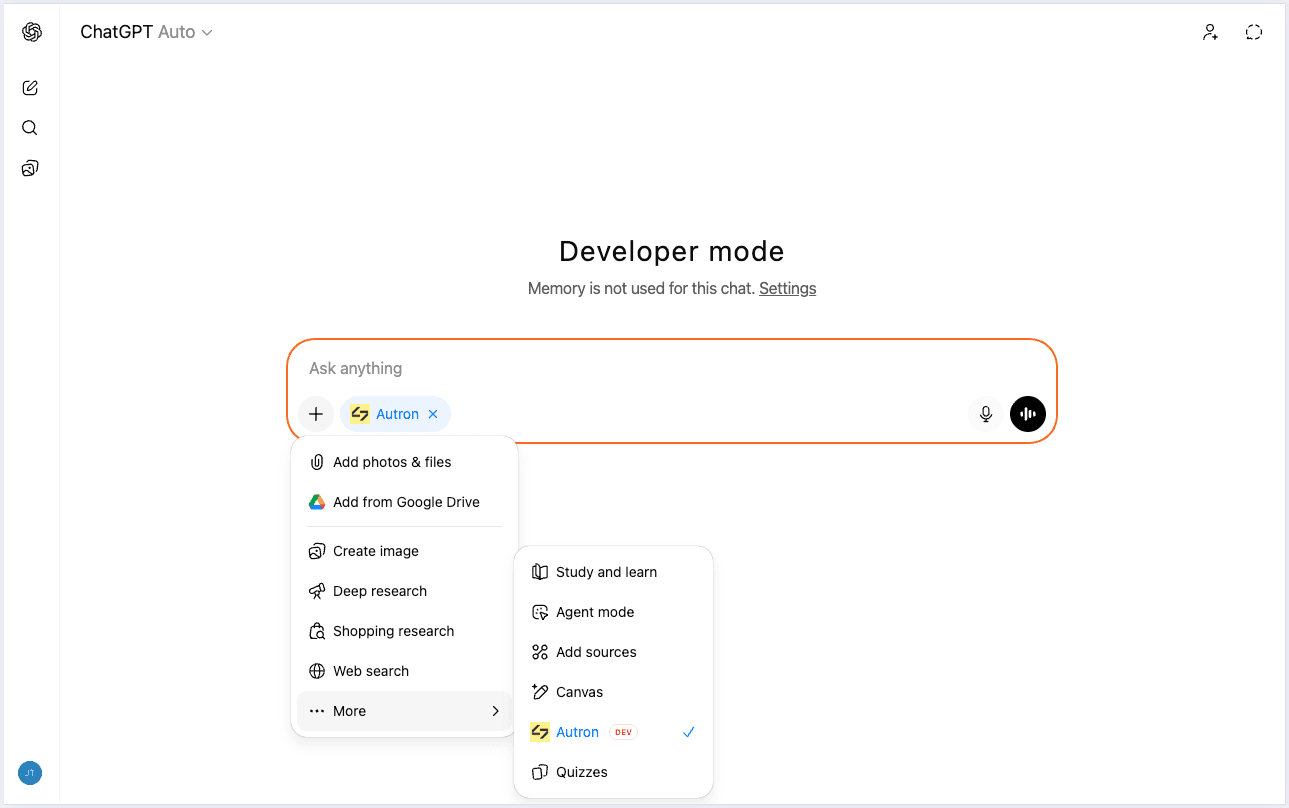
Using Autron in a conversation
Once connected, you can use Autron inside a chat.
- Start a new chat in ChatGPT
- Open the app / tools picker in the composer
- Select More → Autron
- Ask your question — ChatGPT will use your Autron data to respond
Working with multiple sellers or marketplaces
If you manage more than one Amazon seller account, or sell across multiple marketplaces (US, UK, DE, …), ask "List the sellers I have access to" to see them.
- On a paid plan, switch mid‑conversation: "Switch to my UK account" or "Switch the marketplace to Germany". Later questions apply to the active one.
- On the free plan, the connection cannot switch sellers. Name the seller account in each question. A free connection reads each seller's main marketplace; other marketplaces need a paid plan or the app.
See Working with multiple seller accounts and marketplaces for the full guide.
Managing or removing the connection
Every AI assistant you've connected is listed under Connected clients at Settings → AI assistants in your Autron account. Press Disconnect beside ChatGPT and confirm. ChatGPT loses access to your Autron account, and data it has already received stays with it. You can reconnect at any time.
Troubleshooting
"I don't see "Apps"
Apps availability can vary by ChatGPT plan and workspace configuration. If you're using ChatGPT through a company workspace, your admin may need to enable app access.
"I don't see Developer mode"
Custom MCP apps need Developer mode. If it is missing, your plan or workspace may not allow it.
"I don't see Create app"
The Create app button only appears when Developer mode is enabled.
"Authorization failed"
Sign in with the email you use for Autron, and check your Amazon Seller account is connected in Autron.
"ChatGPT can't make changes"
A connection made on the free plan is read-only, and it stays read-only after you upgrade. Disconnect ChatGPT at Settings → AI assistants, then connect Autron again from ChatGPT.
"ChatGPT isn't pulling my Autron data"
Check that:
- the Autron app was created successfully
- the app is selected for the conversation
- your Autron account is still authorised
- your Amazon Seller account is connected in Autron
If needed, reconnect the app and start a fresh chat.
"The agent says I have no data" or "wrong account"
If you have access to multiple sellers, the agent may be on a different one than you expect. Ask "which seller am I on?" and see Working with multiple sellers above.
Need more help?
- Autron Help Center — for Autron product questions
- OpenAI Help Center — for ChatGPT Apps and developer mode questions
- How to get help — to reach the team, ask the agent in the Autron app to pass your question on