
Skills: teach the Autron Agent how you work
A skill is reusable guidance the agent follows when you include it — your naming conventions, bid rules or report format. How to write one in Settings › Skills, use it with / in chat or on a routine, and share it with your team.
TL;DR: A skill is guidance you write once — a name, a description and the instructions — and include in a chat message by typing /, or attach to a routine. Create one in Settings › Skills or ask the agent to save one from the conversation. Keep it to yourself or share it with your team; sharing can't be undone. A company can have up to 50 custom skills.

A skill is guidance you write once and the Autron Agent follows whenever you include it — your campaign naming convention, your bid-change rules, the way your agency formats a client report. Write it down instead of re-explaining it at the start of every conversation.
Skills teach. If you need a rule the agent cannot break, you want Guardrails instead.
Use a skill
- In chat — type / in the message box and pick a skill from the list. You can include up to three in one message. The agent follows them for that message, not for the whole conversation.
- On a routine — type / in the routine's Agent Instructions to attach up to three skills, so its runs follow the same rules your chats do. See Agent routines.
Create a skill
- Go to Settings › Skills and click New skill.
- Fill in three fields:
- Name — what you'll see in the / list, up to 80 characters.
- Description — when to use it, up to 300 characters. It shows in the / list, so make it say when the skill applies: "Use when changing bids: our ACoS bands and step limits."
- Instructions — what the agent should do, up to 20,000 characters. Markdown works.
- Choose whether to Share with your team (see below). The box starts ticked unless you create the skill from the Mine tab. Then click Create skill.
Write the instructions the way you would brief a new colleague: what you want, when it applies, and anything to avoid. Plain English works better than keywords.
You can also ask in chat: "Save what we just did as a skill." The agent drafts the name, description and instructions from the conversation and shows them on an approval card before saving.
Mine, Team and Built-in
Skills sit under three tabs, each showing a count:
- Mine — your personal skills. Only you can see and use them.
- Team — skills shared with your company, by you or anyone else. Everyone in the company can use and edit them, so an agency can set a house standard once rather than per person.
- Built-in — written and kept up to date by Autron. You can use them, and View shows each one's name and description, but not its instructions. You cannot edit them.
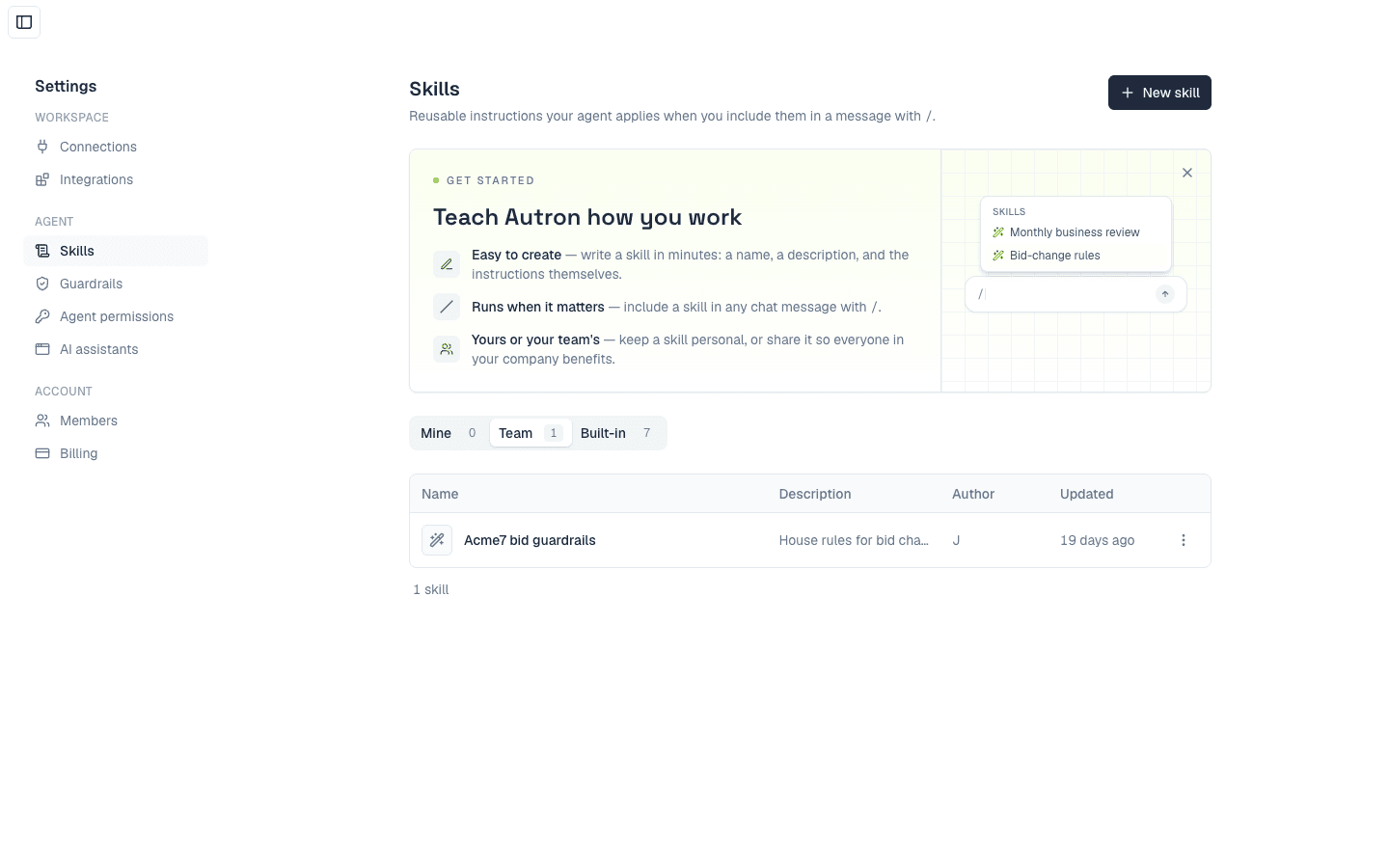
Sharing with your team
Share with your team makes a skill available to everyone in your company to use and edit. Sharing can't be undone: a team skill can't be made personal again. To keep one to yourself after sharing, delete it and create it again without ticking the box.
Deleting a team skill deletes it for everyone. Messages that already used a skill keep their history either way, and a deletion can't be undone.
Limits
- A company can have up to 50 custom skills. When you reach it, New skill is greyed out with the note "Limit of 50 skills reached". Teammates' personal skills count too, so the company can be full before you see 50; then a new skill won't save, and you see "You've reached the 50-skill limit." Someone has to delete one to make room.
- Up to three skills per chat message, and three per routine.
Plan
Skills come with the Agent and Pro plans. On Free, the Skills page shows an upgrade prompt instead of the library.