
Guardrails: banned terms and limits for your listing copy
Guardrails are your rules for the titles, bullet points and backend search terms the agent suggests: banned words, own-brand exceptions and length limits, set company-wide or per seller.
TL;DR: Guardrails are the rules the agent checks its suggested titles, bullet points and backend search terms against before showing them to you: banned words and phrases, exceptions for brands you own, and length limits. Set them company-wide or per seller in Settings › Guardrails. Today they cover listing content only; keyword and bidding guardrails are marked Soon.

Guardrails are your rules for the listing copy the agent writes for you: product titles, bullet points and backend search terms. Before the agent shows you a draft, it runs it through Autron's listing check, which applies your guardrails on top of the built-in trademark and Amazon-policy checks. The agent presents copy that passes and tells you about any warning left over. Where a skill teaches the agent how you like to work, a guardrail is a fixed rule: the check matches it exactly, the same way every time.
The listing check appears as Validate Listing Content under Read-only tools in Agent permissions. Keep it on Always allow, as it is out of the box, so your guardrails are applied.
What you can set
Open Settings › Guardrails. Under Listing content:
- Banned words & phrases — competitor brands, claims, anything the agent must never write. One term per line (a comma also separates terms), up to 200 terms of up to 100 characters each. Matching ignores capitals and is flexible about hyphens and spaces: banning "power-clean" also catches "PowerClean" and "power clean".
- Allowed exceptions — on a seller only. Brands that seller may legitimately use, its own or licensed, that the built-in trademark list would otherwise flag. An exception only ever overrides the built-in list, never one of your own bans.
- Listing limits — Title limit (chars), Bullet limit (chars) and Search terms (bytes). The defaults are 75 characters, 255 characters and 250 bytes. Suggested titles aim one character under the title limit so Amazon's Item Highlights still display.
Press Save rules. You see Company guardrails saved. or Seller guardrails saved.; if neither appears, the rules did not save.
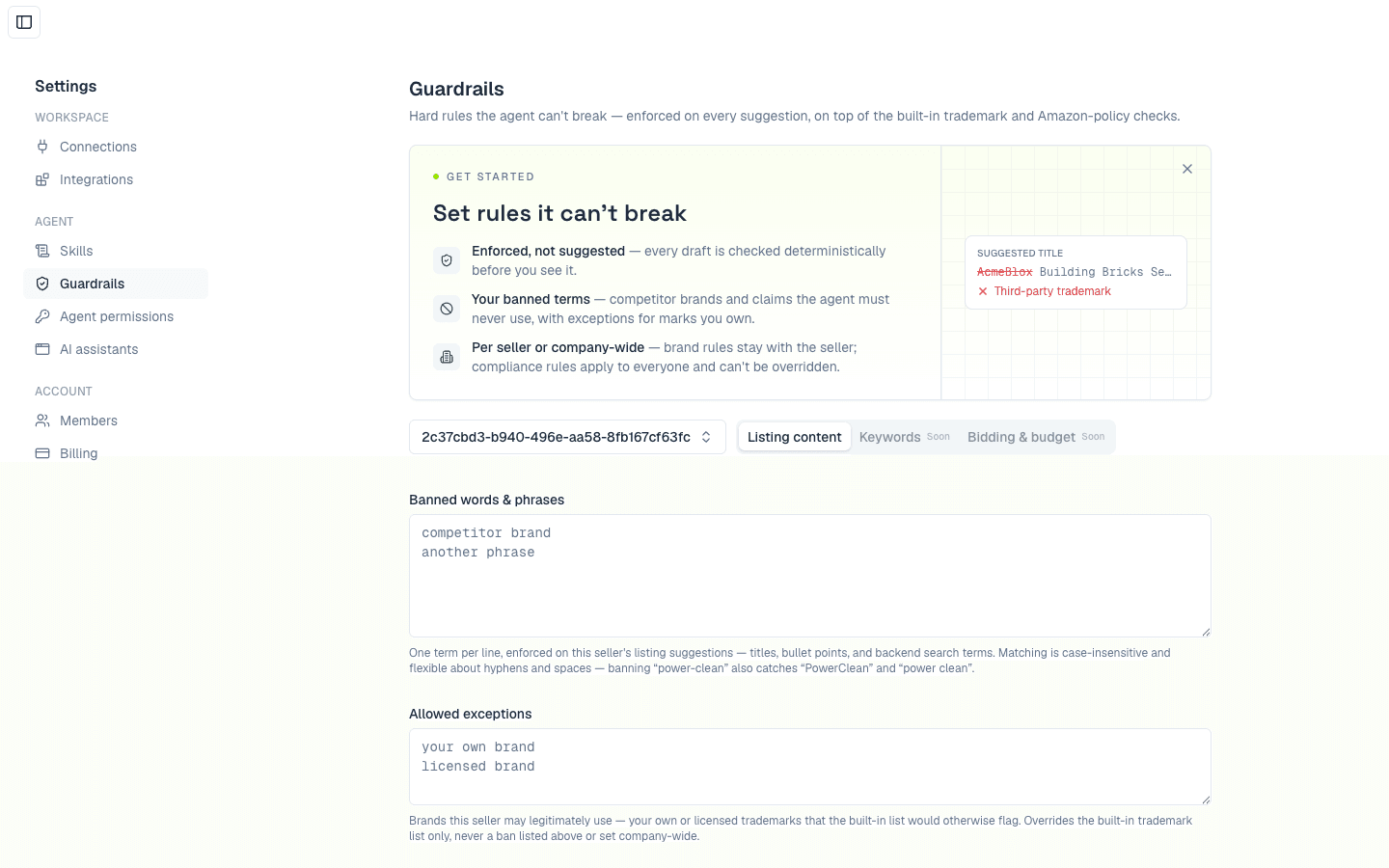
Company-wide and per-seller rules
The menu beside the tabs picks where a rule applies: Company-wide, or one account under Sellers (use Search sellers… if you manage many). Anywhere with rules saved shows rules set.
- Company-wide bans apply to every seller, and no seller can override them. Set a policy once and it holds across every account.
- A seller's bans add to the company's.
- For limits, the most specific wins: the seller's own, then the company's, then the default. Leave a field blank to inherit; the inherited value shows in the empty field.
Ask the agent instead
You can manage guardrails in chat: "Ban 'Play-Doh' from my listings", "What are my guardrails?", "Raise my title limit to 80". The agent shows the exact change on an approval card before it saves anything. See Is the agent safe?
Built-in checks
Without any setup, Autron checks every draft for third-party trademarks, Amazon-policy phrases, decorative characters such as ™, ® and curly quotes, and exact character and byte counts. If a built-in check flags a brand you legitimately own, add it as an allowed exception on that seller.
The built-in trademark and policy lists match English terms only. On a marketplace whose listing language isn't English, add local-language terms to your bans.
Guardrails vs skills
A skill teaches: it is guidance the agent applies when you include it. A guardrail enforces: the listing check applies it to every draft, and how a conversation is worded doesn't change the result. Use a guardrail for anything where being ignored is unacceptable, such as competitor brands or banned claims.
Plan
Editing guardrails comes with the Agent and Pro plans. On Free, the Guardrails page shows an upgrade prompt, and the built-in checks still run.